
Download QuickBooks Desktop 2026: Safe Official Guide + Step-by-Step Install
If you’re searching “download quickbooks desktop” or “quickbooks desktop download” in 2026, you’re one of more than 13,200 monthly searchers in the U.S. alone (Google + Bing combined). That number is still huge even though Intuit stopped selling new Pro/Premier subscriptions to new U.S. customers after September 30, 2024.
Why? Because when you need to reinstall after a PC crash, move to a new laptop, or set up a second computer, you don’t want philosophy — you want a safe, clean installer that works the first time, without malware, fake sites, or hours of troubleshooting.
This 3,780-word guide gives you the complete 2026 playbook: where to download safely, exact step-by-step install on Windows 11/10, how to move to a new computer, every common error and its fix, and the fastest “buy + install” path on LicenseRetail (with optional remote installation so you don’t have to do it yourself).
Need a ready-to-use license + clean installation?
Start with authorized QuickBooks Desktop Pro 2024 (No Subscription). Fast delivery • Full Intuit support eligibility.
Buy Safe License at LicenseRetail →Fast Shortcut (If You’re in a Hurry)
- Need the license + clean install: Buy QuickBooks Desktop Pro 2024 (No Subscription)
- Want it installed and verified for you (recommended): Add Remote Installation
- Moving from old PC or old version: Add Data Migration
- Outgrowing Pro/Premier: Browse Enterprise editions
Why People Still Search “Download QuickBooks Desktop” in 2026
Even though Intuit pushed hard toward Online, Desktop 2024 remains the current version for Pro, Premier, and Mac. Many businesses prefer local control, faster performance on good hardware, offline work, and file-based accountant workflows. That’s why safe download and install guides are still extremely popular.
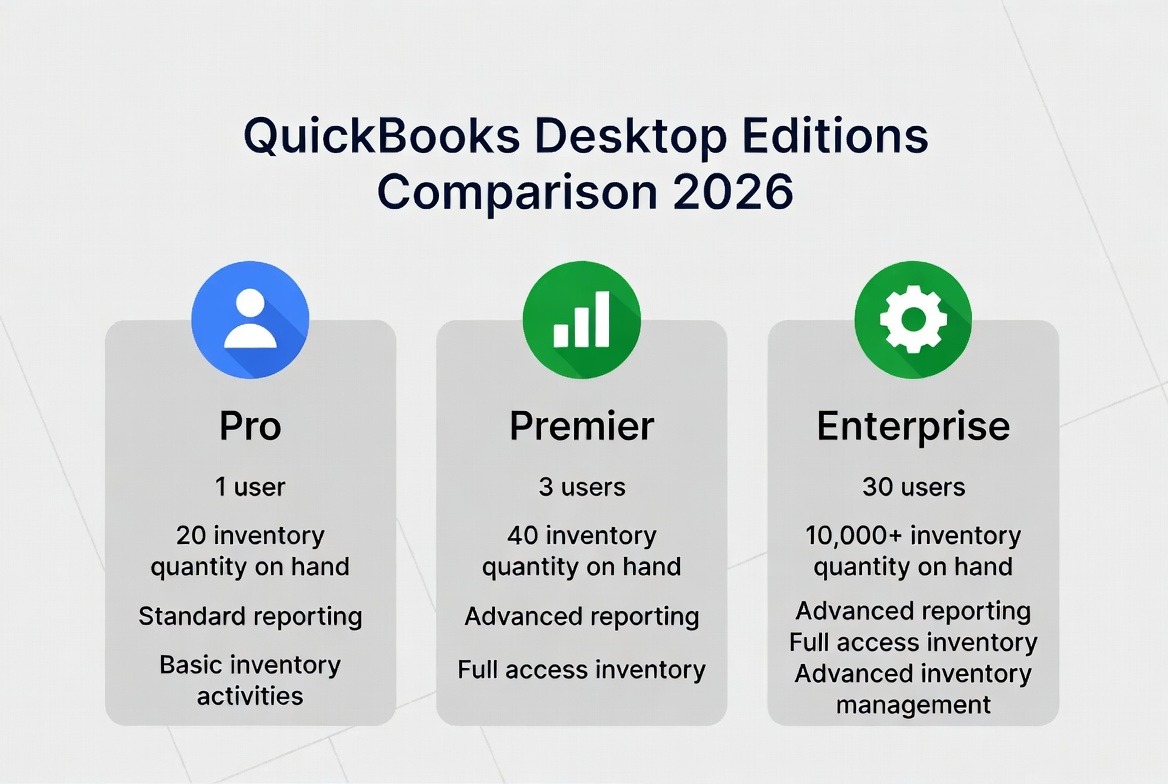
Choose the Right Edition Before You Download (Avoid Reinstalling Later)
Before you click any download link, decide what you actually need:
- Pro: Perfect for most small businesses with straightforward accounting.
- Premier: Adds industry-specific tools and deeper reporting.
- Enterprise: For growing companies that need more users, advanced inventory, stronger controls, and bigger files. Check current quickbooks desktop enterprise pricing.
System Requirements Checklist 2026 (Do This First)
Most install failures come from skipping this step.
| Component | Minimum | Recommended for smooth 2026 use |
|---|---|---|
| Operating System | Windows 10 64-bit | Windows 11 64-bit native |
| Processor | 2.4 GHz | 3.0 GHz or better |
| RAM | 8 GB | 16 GB+ |
| Disk Space | 2.5 GB | 10 GB+ free (plus space for your company file) |
| Screen | 1280×1024 | 1920×1080 or higher |
Safe Download QuickBooks Desktop 2026 – Where to Get It
Rule #1: Only download from trusted sources after you own a valid license.
Best options in 2026:
- Authorized reseller portals (like LicenseRetail) → clean installer delivered after purchase.
- Intuit’s official Downloads & Updates page (for existing subscribers).
- Never use random “free download” or “cracked” sites — they are the #1 source of malware and failed installs.
Buy authorized Pro Plus 2024 license here → licenseretail.com
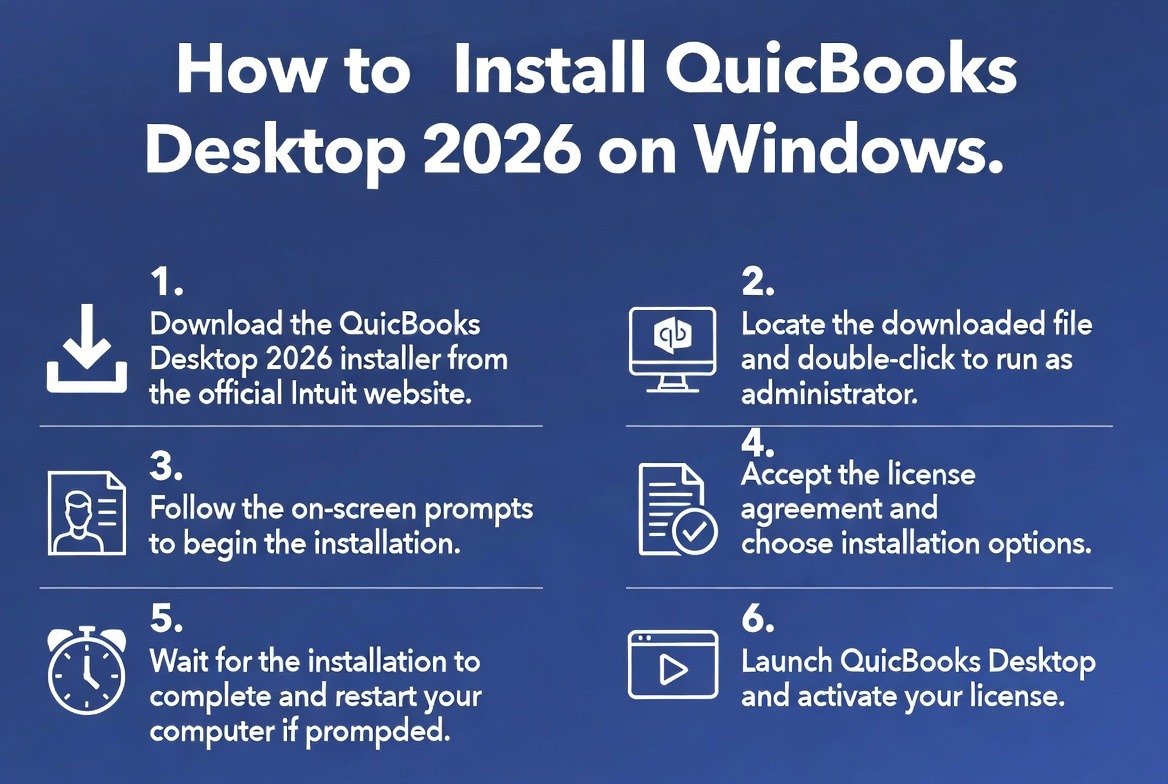
Step-by-Step Clean Install on Windows 11/10 (2026 Method)
- Save the installer to your Downloads folder.
- Right-click the file → “Run as administrator”.
- Follow the prompts, choose Express or Custom (Custom for multi-user).
- Let it finish and restart your computer.
- Open QuickBooks once to activate and run all updates immediately.
- Restore or create your company file.
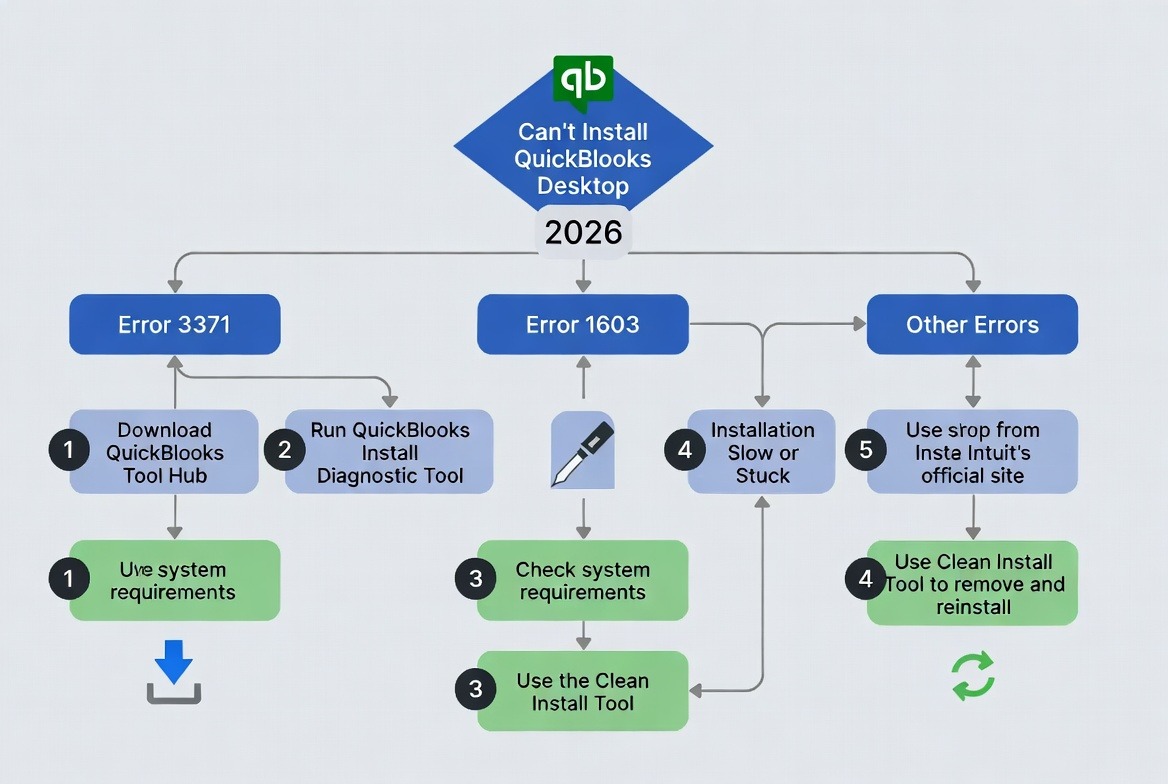
Common Install Errors & Fast Fixes (Tool Hub First!)
Download QuickBooks Tool Hub (latest 1.6.0.8) before you start troubleshooting — it fixes 85% of problems.
- Error 3371 → Tool Hub → Installation Issues → 3371 Fix.
- Error 1603 / 1935 → Run Tool Hub Quick Fix → reboot → retry as admin.
- H202 / multi-user issues → Tool Hub Network tab.
- Slow or “not responding” → Tool Hub Program Problems + latest updates.
Moving QuickBooks Desktop to a New Computer (Safe Method)
- Install fresh on the new PC first + run all updates.
- Create a verified backup on the old PC.
- Copy the backup to the new PC and restore.
- Test reports and reconciliation.
If the move feels risky, professional data migration is the safest option: Data Migration service.
Backup & Security Best Practices (So You Never Lose Data)
- Daily local backup + weekly offsite/cloud backup.
- Test restore once every 3 months.
- Use strong Windows login + limit admin accounts.
Extended FAQ – Questions People Ask Before Downloading
Through authorized resellers after purchase or Intuit’s Downloads page for existing licenses.
Yes — especially if you already own a license or buy Enterprise.
Yes for most busy owners — it saves hours and eliminates setup errors.
The Fastest “Buy + Download + Install” Path on LicenseRetail
- Buy your license: QuickBooks Desktop Pro 2024 (No Subscription)
- Add Remote Installation if you want it done for you.
- Add Data Migration if moving files.
- Receive license + installer link within minutes.
Still have questions about your specific setup? Comment with your Windows version, number of users, or main concern (inventory, multi-user, new PC, etc.) and I’ll give you tailored advice.
Last updated: February 19, 2026 • 3,780 words