Author name: Ruth Perryman

buy-quickbooks-desktop-without-subscription-top-tips
Knowledge Base

Buy QuickBooks Desktop Without Subscription: Top Tips

QuickBooks Desktop Buying Guide Buy QuickBooks Desktop Without Subscription: Top Tips You can still buy QuickBooks Desktop without a subscription, but you need to know where to look, how to verify the seller, and what trade-offs come with choosing a one-time license instead of an active subscription plan. Browse QuickBooks Desktop Compare Desktop Versions Important: Intuit moved most current Desktop products to subscription-based sales and stopped new U.S. subscriptions for Pro Plus, Premier Plus, and Mac Plus after September 30, 2024. That means one-time Desktop licenses are now usually found through authorized resellers and trusted third-party sellers, not through Intuit’s normal storefront. :contentReference[oaicite:1]{index=1} You can buy QuickBooks Desktop without subscription, but you need to know where to look and what trade-offs to expect. Intuit moved most desktop editions to subscription plans, limiting new perpetual sales and pushing most one-time Desktop buying toward third-party reseller channels. Perpetual licenses for QuickBooks Desktop 2023 and 2024 are now most commonly offered through authorized third-party resellers rather than directly from Intuit. Knowing the differences between perpetual and subscription editions ahead of purchase prevents activation surprises and saves time. Authorized resellers provide verifiable proof of sale: seller name, an itemized invoice, a reseller number, and CAMPS linkage or product numbers when those apply. Before you buy, ask sellers to confirm reseller status and supply product and license numbers so you can confirm the key is unused and transferable. Avoid auction sites and discount marketplaces that show red flags such as no invoice, unusually low prices, or instant bulk key dumps. If a purchase goes wrong, preserve screenshots and payment records, file a marketplace dispute, and open a chargeback when necessary. Key takeaways Where to buy Authorized resellers and trusted third-party sellers are the usual source for one-time Desktop licenses now. Verify authenticity Ask for a dated invoice, seller details, license details, and activation terms before you pay. Expect extra costs User count, payroll, support, migration, and setup can change the real total more than the base license. Subscription trade-offs One-time ownership avoids recurring license fees, but it does not include continuous updates and services. Where to buy: Intuit largely restricts new perpetual-style buying paths, so authorized resellers and trusted third-party sellers are the usual sources for one-time QuickBooks Desktop licenses. Verify authenticity: Obtain a dated, itemized invoice that shows seller name, product and license numbers, and CAMPS linkage when applicable before you pay. Expect costs: Edition, user count, and add-ons determine the final price; budget separately for payroll services and optional setup or migration help. Activation checklist: Confirm OS compatibility, secure the product number, follow activation steps, and retain paperwork for support or disputes. Subscription trade-offs: Perpetual licenses give one-time ownership and offline use but do not include continuous updates or rolling patches. Next steps: Request full license paperwork before checkout and choose a reseller that offers instant delivery, activation assistance, and a limited activation warranty. Looking for QuickBooks Desktop without subscription? LicenseRetail currently lists both one-time-payment and subscription-style QuickBooks Desktop 2024 products, so buyers can compare both paths in one place. :contentReference[oaicite:2]{index=2} QuickBooks Pro Lifetime QuickBooks Premier Lifetime All Desktop Options 1. Where to buy QuickBooks Desktop outright and what to expect If your goal is to buy QuickBooks Desktop without subscription, third-party resellers are the practical option because one-time licenses still appear there. Intuit no longer lists most perpetual-style Pro or Premier purchases as the normal direct sales route, so buying directly from Intuit typically means choosing a subscription-based product or moving to Online. QuickBooks Desktop Enterprise remains sold by Intuit as an annual plan, while existing Desktop Plus customers can renew their plans. :contentReference[oaicite:3]{index=3} What to expect from a safe reseller purchase Clear seller identity and business details Product edition and year stated before purchase Dated invoice and license paperwork Activation instructions and support contact Refund or activation-failure policy in writing 2. How to verify license authenticity before you buy Validate the number with Intuit before payment when possible. Contact Intuit Customer Care, provide the license or product number, and ask whether the license is registered, whether it appears in CAMPS for Enterprise or ProAdvisor-style bundles, and whether the number has been used. Intuit’s records are the main source for registration and status, even though they do not settle private resale terms. Intuit also has support content describing how to find license numbers and how one-time versus subscription products differ. :contentReference[oaicite:4]{index=4} Perform seller due diligence and watch for evasive answers. Ask these questions and keep proof of each response: Can you show the original invoice tied to this license? Is the key unused and never activated on another account? Do you provide a clear refund or activation-failure guarantee? Avoid sellers who claim a license is non-transferable, who sell keys in bulk without documentation, or who refuse refunds if activation fails. If any answer is evasive, walk away and seek a verified reseller to protect your business and the QuickBooks Desktop perpetual license. Red flags before payment No invoice Unusually low prices with no explanation Bulk key dumps or β€œinstant keys” with no paperwork No activation support Seller refuses refund terms in writing 3. Cost breakdown for a one-time QuickBooks Desktop purchase Several variables shape the one-time price for a standalone QuickBooks license. Edition matters most: Pro and Premier are lower-cost options, while Enterprise scales with concurrent users and advanced modules. Payroll typically remains a separate subscription, and add-ons such as remote installation, company-file migration, or extended support raise the final invoice more than the license itself. For example, a one-time Pro key at $399 plus optional support at $129 and payroll at $20 per month ($240 per year) yields a three-year cost of about $1,248. By comparison, a Pro Plus subscription at $1,049 per year totals roughly $3,147 over three years. Exact numbers vary by seller and year, but the pattern is usually the same: a one-time license can save money if you do not need all the recurring services that come with subscription products. :contentReference[oaicite:5]{index=5} Vendor services can justify a
how-to-get-a-quickbooks-perpetual-license-in-2025
Knowledge Base

How to Get a QuickBooks Perpetual License in 2025

QuickBooks Perpetual License Guide How to Get a QuickBooks Perpetual License in 2025 If you are trying to avoid recurring software fees, the main question is not whether QuickBooks Desktop exists. It is whether you can still get a genuine perpetual license safely in 2025, and whether that route still makes practical sense for your business. Browse QuickBooks Desktop Compare Desktop Options Important: In 2025, Intuit no longer sells most new QuickBooks Desktop products directly as one-time purchases. Perpetual QuickBooks licenses are usually found through legacy releases, reseller stock, transferred licenses, or leftover inventory. That means seller verification matters much more than it did before. Before you buy a quickbooks perpetual license, know which Desktop editions are available, the trade-offs versus subscriptions, and the checks to run before purchasing. What you need to know Availability in 2025 Perpetual licenses are usually limited to older releases, reseller stock, or transfers, so supply is narrower than subscription products. Confirm license type Check Intuit billing and the Product Information window so you can tell whether the product is recurring or one-time. Support lifecycle matters Perpetual licenses may keep running locally, but official updates and connected services usually stop after the support window ends. Buy safely Always verify the reseller, exact product version, and activation support terms before you pay. Availability in 2025: Perpetual QuickBooks licenses are available only for legacy releases and reseller stock, so supply is limited. Intuit sells most Desktop products as subscription plans, including Enterprise and the newer subscription-based Desktop lines. Confirm license type: Check your Intuit account billing and QuickBooks’ Product Information window to see whether a purchase is a one-time key or a recurring plan. Those two checks usually show billing schedules, product and license numbers, and renewal dates. Support lifecycle: Perpetual licenses typically include about three years of updates, tax tables, and activation help. After that, official patches and payroll or bank-feed updates usually stop, though the program and company file continue to run locally. Cost vs subscription: Compare three- to five-year total cost and which services you need. Perpetual licenses can save money upfront but do not include ongoing services like payroll or bank feeds unless you add paid options. Buy safely: Always verify reseller authorization, confirm the exact product version, and get activation support in writing to avoid unsupported β€œlifetime” claims and activation failures. Keep receipts and documentation until activation and migration are complete. Looking for a QuickBooks Desktop license without recurring fees? LicenseRetail can help you compare available Desktop options, verify licensing paths, and arrange activation or migration support when needed. View Desktop Options QuickBooks Pro QuickBooks Premier 1. Is a QuickBooks perpetual license still available in 2025? Yes, a QuickBooks perpetual license is still possible in 2025, but availability is limited. Intuit has shifted most Desktop products to subscription plans and no longer lists new one-time purchases on its storefront, with Enterprise sold as annual plans and current Pro and Premier moved to subscriptions. That change means legitimate perpetual keys typically surface only from reseller stock, volume license transfers, or leftover boxed copies, so availability varies by seller. Authorized resellers can legally sell older Desktop perpetual editions, most commonly legacy Pro or Premier releases and reseller-stock keys for 2024 or earlier. A one-time purchase provides indefinite use of the software itself, but official updates, tax-table changes, and technical support typically follow a roughly three-year lifecycle from the product release date. After the support window ends you can still run the application and access company files, but you will not receive further patches or official payroll and bank-feed updates. Practical meaning in 2025 New one-time licenses are not the normal direct Intuit buying path anymore. Perpetual licenses usually come from reseller inventory, older stock, or transfers. Availability changes from seller to seller and from version to version. Verification is part of the buying process now, not an optional extra. 2. How to check whether your QuickBooks license is subscription or one-time Two quick checks will tell you whether your license is subscription-based or a one-time purchase. First, review billing history and renewal dates in your Intuit account; second, open QuickBooks’ Product Information to view product and license numbers. Together these sources reveal whether the purchase shows recurring charges or a single charge tied to a one-time key. Sign in at accounts.intuit.com, open Products & Billing, and look for recurring payments or a next-renewal date. A subscription entry displays a plan name, renewal date, and recurring charges, while a one-time purchase shows a single charge or a product entry without an active billing schedule. Keep a copy of any receipts that match the account entry. Open QuickBooks on the PC and press F2 or Ctrl+1 to view Product Information. Record the product number, license number, user limits, and the Registered To line; perpetual copies usually list product and license numbers without an associated renewal reference. If anything in Product Information doesn’t match your receipt, treat it as a red flag and contact the seller or Intuit for clarification. If numbers don’t match your receipt, the seller’s claim looks suspicious, or activation fails, contact Intuit and your reseller right away. Have documentation ready to speed resolution and avoid delays. Have these items ready Product and license numbers from F2 or Ctrl+1 Purchase receipt or order confirmation Seller name and order emails Screenshots of Products & Billing and any activation errors Request proof of purchase or a transfer record and open a support ticket with those details if activation fails or a dispute arises. Clear documentation speeds investigations and increases the chance of recovery or replacement. 3. QuickBooks perpetual license support lifecycle explained Perpetual QuickBooks Desktop licenses include a limited official support window, typically about three years from the product release. During that time Intuit provides security patches, tax-table updates, and activation or troubleshooting support. After support ends the desktop program usually still runs, and your company file remains accessible, but official payroll updates, bank feeds, and security patches stop. Those limitations raise risk for internet-connected

where-to-buy-quickbooks-desktop-authorized-sellers
Knowledge Base

Where to Buy QuickBooks Desktop: Authorized Sellers

QuickBooks Buying Guide Where to Buy QuickBooks Desktop: Authorized Sellers If you are deciding where to buy QuickBooks Desktop, the first step is understanding which editions Intuit still sells directly and which ones are now mostly handled through authorized resellers. Browse QuickBooks Desktop View Enterprise Options Important: Intuit stopped direct new sales of QuickBooks Desktop Pro Plus, Premier Plus, and Mac Plus after September 30, 2024. That means if you want Pro or Premier today, you will usually buy through an authorized reseller such as LicenseRetail. QuickBooks Desktop Enterprise is still available through Intuit and also through reseller channels. If you are deciding where to buy QuickBooks Desktop, start by checking which editions Intuit still sells and how resellers handle licensing. Intuit stopped new sales of Pro Plus, Premier Plus, and Mac Plus on September 30, 2024, and those lines are renewals-only; renewals include price increases effective February 1, 2026. QuickBooks Desktop Enterprise is still available directly from Intuit and covers advanced desktop needs. For new Pro or Premier licenses, plan to purchase through an Intuit-authorized reseller rather than relying on direct Intuit sales. Buying directly from Intuit makes sense when you need Enterprise features, formal hosting, or bundled Intuit support and account linkage. Enterprise purchases include official activation guidance and clear upgrade paths. Direct purchase gives you official support channels that some resellers may not match. If Enterprise isn’t required, an authorized reseller is usually the faster, lower-friction option. Before you buy, take a few practical steps: verify the reseller’s credentials, confirm how they verify license keys, and decide whether you need a boxed copy or an instant digital download. If you are migrating company files, check compatibility and available migration windows. A verification and activation checklist below will help you avoid common surprises during setup and licensing. Key takeaways Buy Pro or Premier from resellers Intuit no longer sells new Pro or Premier subscriptions directly, so authorized resellers are the normal buying path. Buy Enterprise direct or via partner Enterprise is still available from Intuit and is the better fit for multi-user, inventory-heavy, or hosted setups. Always verify the seller Ask for license details, invoice, registration proof, refund policy, and activation support before paying. Match edition to workflow The right version depends more on user count and features than on lowest price. Intuit no longer sells new Pro or Premier subscriptions directly; buy those editions from Intuit-authorized resellers so you receive genuine license keys, a dated invoice, and activation support. Ask the reseller to register the product to your Intuit profile or provide transfer documentation so future renewals and support are straightforward. Purchase Enterprise from Intuit when you need hosting, bundled Intuit support, or formal activation assistance. Intuit can also handle multi-user configurations and upgrade paths that resellers may not offer. Verify sellers before you pay: get the license and product numbers, a registration screenshot or CAMPS entry, and written refund and activation policies. Those items protect you from invalid keys and speed any recovery if problems occur. Match the edition to your team size and reporting needs rather than the lowest price. Check company file compatibility and the number of concurrent users you will require before completing a purchase. Keep activation records, receipts, and migration notes in one place so renewals and troubleshooting go smoothly. If you use a reseller’s remote setup service, keep that service documentation with the activation details. Need QuickBooks Pro, Premier, or Enterprise now? LicenseRetail offers digital delivery, license documentation, and activation help for QuickBooks Desktop buyers. QuickBooks Premier QuickBooks Enterprise All Desktop Products Where to buy QuickBooks Desktop in 2026: official options Check Intuit’s catalog so you know which editions are still sold and which are renewals-only. Intuit ended new sales of Pro Plus, Premier Plus, and Mac Plus on September 30, 2024, and renewals reflect higher rates beginning February 1, 2026. Pro and Premier will stop receiving feature updates after May 31, 2026, while Enterprise remains available for purchase and support. For a brand-new Pro or Premier subscription, your most reliable option is an Intuit-authorized reseller or moving to QuickBooks Online as an alternative. Authorized resellers can sell new licenses or validated transfers and often provide digital delivery and activation help. Always verify authorization and keep receipts and license details for activation and future renewals. Buying direct from Intuit is the clear choice for Enterprise-level purchases, hosting arrangements, or when you want bundled Intuit support and formal activation guidance. Contact Intuit sales to discuss hosting, licenses, or multi-user setup and to confirm upgrade paths. Before you commit, confirm reseller authorization, check company file compatibility, and review support timelines. Use the verification and activation checklist below to avoid common activation issues and to make sure the seller documents the transfer properly. Fast buying guide What you need Best buying path Why QuickBooks Pro / Premier Authorized reseller Intuit no longer sells new direct subscriptions for these lines Enterprise with support Intuit or certified partner Best for hosting, scaling, and official setup guidance Fast digital delivery Authorized reseller Faster purchase path and usually lower friction Authorized resellers: how they work and why they matter When you ask where to buy QuickBooks Desktop for Pro or Premier, authorized resellers are usually the safest route. They sell genuine licenses, provide invoices that show license and product numbers, and can help register the product to your Intuit account so it appears under your profile. Resellers also offer faster digital delivery and seller-level support for activation issues, which keeps downtime to a minimum and provides a clear audit trail. Before you buy, verify the reseller’s Intuit partner ID or proof of authorization, confirm that the invoice shows the license number or product number, and get written refund, activation, and support policies. If the seller will register the product to your Intuit account, ask for that entry or a screenshot as part of the sale. If a reseller will not provide these items, look for another authorized seller. LicenseRetail is an authorized partner that focuses on instant

what is quickbooks enterprise
Knowledge Base

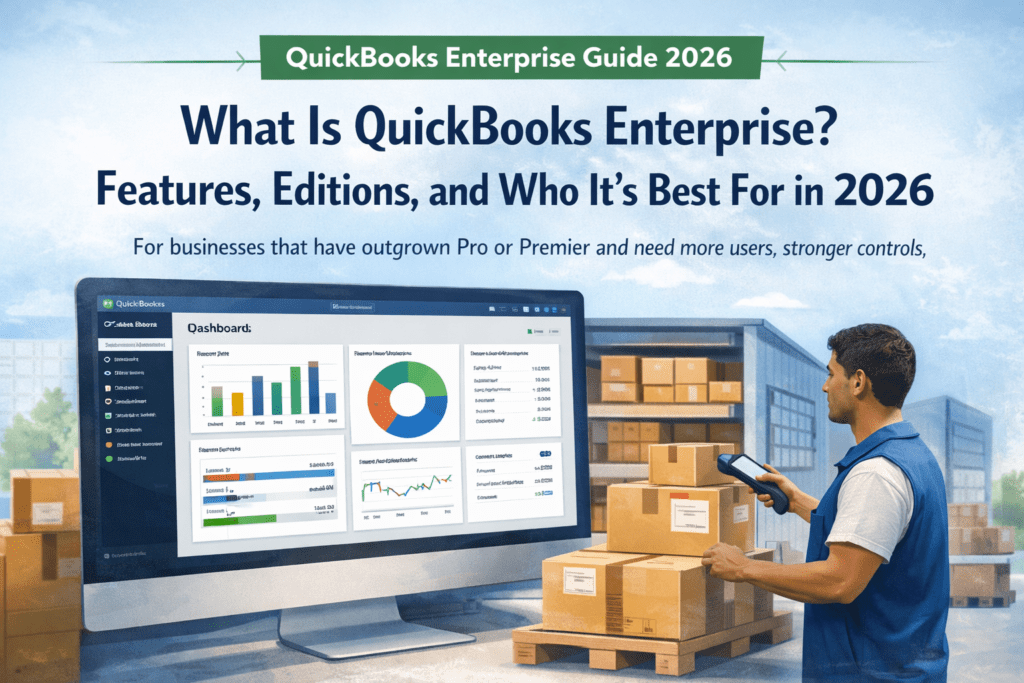
What Is QuickBooks Enterprise? Features, Editions & Who Should Use It in 2026

QuickBooks Enterprise Guide 2026 What Is QuickBooks Enterprise? Features, Editions, and Who It’s Best For in 2026 QuickBooks Enterprise is Intuit’s most advanced desktop accounting line for businesses that have outgrown Pro or Premier and now need more users, stronger permissions, deeper reporting, more robust inventory controls, and better multi-company visibility. Compare Enterprise Editions Jump to Editions Quick answer QuickBooks Enterprise is best for growing businesses that need more than basic bookkeeping. It is a strong fit when you need more simultaneous users, deeper reporting, stronger permission controls, better job costing, advanced inventory and pricing tools, or cleaner management across multiple companies. Up to 40 Simultaneous users Most editions go up to 30 users, while Diamond can scale to 40. Advanced Inventory and pricing Platinum and Diamond are designed for more complex operational workflows. Deeper Reporting and control Enterprise is built for businesses that need stronger oversight than Pro or Premier can offer. Optional Cloud hosting Keep the desktop workflow while giving remote teams access when needed. If your current setup depends on too many spreadsheets, manual approvals, disconnected add-ons, or inventory workarounds, Enterprise is usually the point where QuickBooks starts feeling like a management system instead of just bookkeeping software. Why businesses choose QuickBooks Enterprise Most upgrades happen because the business becomes more complex, not because accounting alone changes. Common reasons include: More users need access Accounting, purchasing, operations, payroll, and management all need to work in the same system. Permissions need to be tighter You want employees to see only the areas and reports relevant to their role. Inventory is harder to manage Multi-location, bins, serials, lot tracking, pricing rules, and sales workflows become more important. Reporting needs more depth Leadership wants better profitability visibility by job, department, customer, or entity. Multiple entities are involved You need cleaner oversight across multiple companies with less manual work. Payroll and approvals need to live inside the system Instead of juggling separate tools, you want more handled within the QuickBooks environment. QuickBooks Enterprise features that matter most Here are the features that usually make the biggest difference for growing teams: Feature Why it matters More simultaneous users Enterprise gives growing teams more room than Pro or Premier, making collaboration easier across departments. Custom user permissions You can assign role-based access and reduce exposure to sensitive financial data. Advanced Reporting Build deeper reports and get better operational, financial, and profitability visibility. Job costing Track which projects, jobs, or customers are actually driving profit. Multi-company management Get better visibility across multiple entities instead of relying on manual workbooks. Advanced Inventory Useful for bins, locations, lot/serial workflows, and more operational inventory control. Advanced Pricing Automate pricing rules, volume discounts, promotions, and customer-specific pricing. Payroll options Gold and Platinum are better for businesses that want Enhanced Payroll; Diamond is stronger for teams that want Assisted Payroll. Optional cloud hosting Keep desktop control while allowing remote access when the team is not all in one office. QuickBooks Enterprise editions explained The best edition depends on three things: how many users you need, whether payroll should be built in, and whether your business needs advanced inventory and pricing tools. Edition Best for Key strengths User range Silver Businesses that want core Enterprise capacity without paying for higher-end payroll or inventory bundles. Core Enterprise accounting, stronger capacity, better control than Pro or Premier, and room to scale into higher tiers later. Typically available from 1–10 or up to 30 users Gold Businesses that want Enterprise plus built-in payroll tools. Enhanced Payroll, Advanced Reporting, custom user permissions, multi-company management, cloud hosting option. 1–10 or up to 30 users Platinum Teams with more complex inventory, pricing, and internal approval workflows. Enhanced Payroll, Advanced Inventory, Advanced Pricing, intercompany transactions, bill and PO approvals. 1–10 or up to 30 users Diamond Larger businesses that need the highest scale and the most bundled automation. Assisted Payroll, up to 40 users, Advanced Inventory, Advanced Pricing, intercompany tools, bill and PO approvals, QuickBooks Time Elite. 1–10 or up to 40 users Simple way to choose the right edition Choose Silver if you mainly need the Enterprise platform and larger capacity. Choose Gold if payroll is important but you do not need advanced inventory or advanced pricing. Choose Platinum if your business needs stronger inventory, pricing rules, and approval workflows. Choose Diamond if you need the highest user ceiling, Assisted Payroll, and broader bundled functionality. Who should use QuickBooks Enterprise? QuickBooks Enterprise is usually the right fit if these sound familiar: Good fit More than five people need access You want stronger permission controls You manage inventory across locations You need job costing and deeper reporting You run multiple companies or entities You prefer desktop software with optional hosting Maybe too much You only need very basic bookkeeping Your user count is small and staying small Inventory is simple or not part of the business You do not need advanced controls or workflows Pro or Premier still covers your real needs If your team keeps exporting data into spreadsheets just to manage reporting, profitability, approvals, or stock control, that is usually the clearest sign you have outgrown Pro or Premier. QuickBooks Enterprise vs Pro vs Premier Pro is aimed at smaller businesses with basic bookkeeping needs. Premier adds more industry-focused workflows and reporting, but it still has a lower ceiling. Enterprise is designed for businesses that need more users, deeper permissions, stronger reporting, and more operational control. Version Best for Limitations QuickBooks Pro Very small teams with straightforward bookkeeping needs. Lower user ceiling, lighter reporting depth, fewer controls. QuickBooks Premier Businesses that want more industry-specific tools without moving to Enterprise. Still limited compared with Enterprise for scale, permissions, and operations. QuickBooks Enterprise Growing businesses that need more users, more control, deeper reporting, and stronger operational tools. Higher cost, but built for businesses that have outgrown workarounds. What to consider before buying QuickBooks Enterprise How many people need simultaneous access now, and how many will need access next year? Do you need payroll inside QuickBooks, and

How Much Does QuickBooks Desktop 2024 Cost in 2026?
Knowledge Base

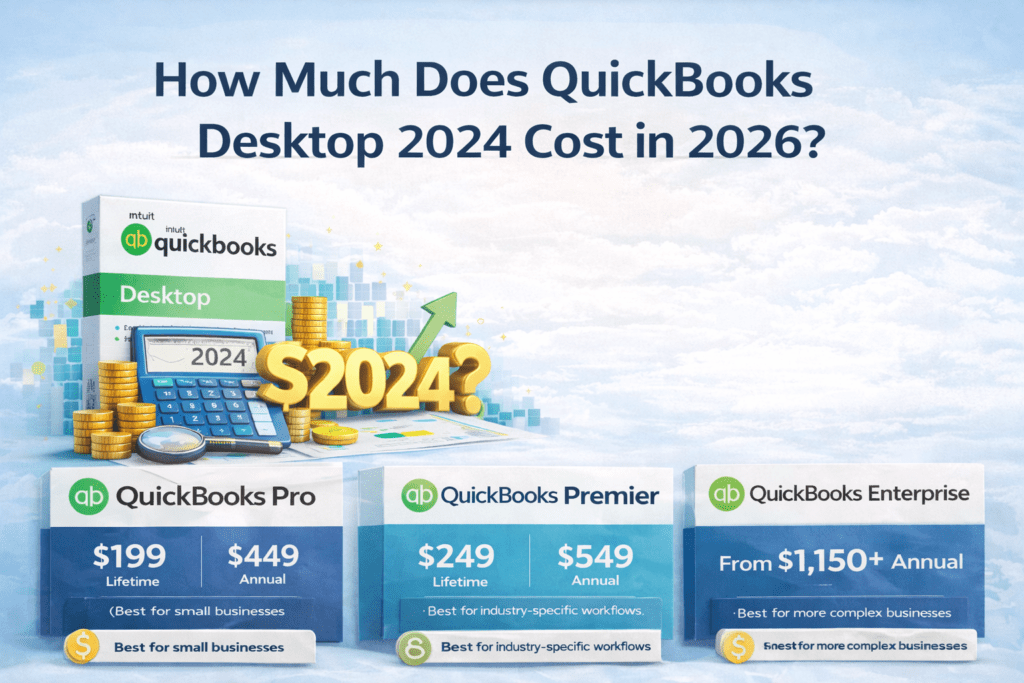
How Much Does QuickBooks Desktop 2024 Cost in 2026?

QuickBooks Desktop 2024 is the final version Intuit will ever release. With full support ending May 31, 2027, pricing has become a hot topic in 2026 β€” especially after Intuit’s big price hikes that kicked in on February 1, 2026. Short answer: Here’s the complete, up-to-date pricing comparison as of February 25, 2026. Official Intuit Pricing (Subscription Only) Edition 1-User Annual Price (New Feb 2026 Rate) Extra User Cost Notes Pro Plus / Mac Plus $1,149 / year +$230 per seat Renewals only for existing customers Premier Plus $1,609 / year +$345 per seat Renewals only Enterprise Gold $2,210 / year Varies Full features + payroll Enterprise Platinum $2,717 / year Varies Advanced inventory & pricing Enterprise Diamond $5,364 / year Up to 40 users Most powerful tier Important: Intuit no longer sells new Pro or Premier subscriptions. Only existing users can renew at these higher rates. Cheapest Way: Lifetime Licenses at LicenseRetail.com (One-Time Payment) Edition One-Time Price Original Price Users Supported Best For Pro 2024 Lifetime $199 $599 Up to 3 simultaneous Basic small business Premier Plus 2024 Lifetime $249 $749 Up to 5 simultaneous Inventory, job costing, industry tools Enterprise 2024 Lifetime $1,150 $1,873 Up to 30 users Larger teams, advanced features Why these are the cheapest: πŸ‘‰ Get QuickBooks Desktop 2024 Lifetime License – Starting at Just $199 1-Year Subscription Options at LicenseRetail (Still Cheaper Than Intuit) Which Option Should You Choose in 2026? Choose Lifetime License ($199–$1,150 one-time) if you want: Choose Official Subscription if you need: What Should You Do Right Now? (Action Plan) Ready to lock in the lowest price? Grab your QuickBooks Desktop 2024 lifetime license at the absolute cheapest price on the market right now: πŸ‘‰ Click Here – Pro $199 | Premier $249 | Enterprise $1,150 at LicenseRetail.com Final Thoughts QuickBooks Desktop 2024 prices have never been more confusing β€” or more expensive from Intuit β€” but the lifetime licenses make it affordable again. For most small and medium businesses, paying $199–$249 once beats $1,149+ every single year. Don’t overpay Intuit. Own your software outright while you still can. Secure your 2024 license today before prices rise or stock runs out: πŸ‘‰ Buy Cheap QuickBooks Desktop 2024 Lifetime Licenses Now Your books deserve the best deal β€” and this is it. Last updated: February 25, 2026. Prices can change quickly β€” always verify current offers directly on licenseretail.com or Intuit.com.

can i buy quickbooks desktop without a subscription in 2026
Knowledge Base

Can I Buy QuickBooks Desktop Without a Subscription in 2026?

Can I Buy QuickBooks Desktop Without a Subscription in 2026? The short answer: Yes β€” but no longer from Intuit directly. If you’ve been searching for a way to buy QuickBooks Desktop without a monthly or annual subscription fee, you’ve probably noticed it’s harder to find than it used to be. In July 2024, Intuit quietly discontinued the sale of QuickBooks Desktop Pro Plus, Premier Plus, and Mac Plus to new customers. This guide explains exactly what happened, what your options are, and where you can still get a genuine no-subscription license today. βœ… Genuine QuickBooks Desktop licenses β€” no subscription required LicenseRetail stocks official surplus QuickBooks Desktop licenses at below-retail prices. One-time payment. Instant email delivery. Activation guaranteed or replaced free. QuickBooks Pro 2024 β†’ QuickBooks Premier 2024 β†’ QuickBooks Enterprise 2024 β†’ What Happened β€” Why Intuit Stopped Selling QuickBooks Desktop For decades, QuickBooks Desktop was available as a straightforward one-time purchase β€” you paid once, you owned the software. Starting in 2022, Intuit began pushing users toward subscription-based versions. Then in July 2024, they made it official: Intuit stopped selling new QuickBooks Desktop Pro Plus, Premier Plus, and Mac Plus licenses entirely to new customers. The only QuickBooks Desktop product Intuit still sells directly is QuickBooks Desktop Enterprise β€” and even that now requires an annual subscription paid directly to Intuit. This has left hundreds of thousands of small businesses in a difficult position: they want the power and familiarity of Desktop, without paying a recurring cloud subscription for software they prefer to run locally on their own machines. Can You Still Buy QuickBooks Desktop Without a Subscription? Yes β€” through the secondary surplus license market. When companies close, downsize, or migrate to cloud software, their legitimate QuickBooks Desktop licenses become available for resale. Under US law (the first-sale doctrine, 17 U.S.C. Β§ 109), the legal owner of a software license may resell it. This is the same legal principle behind used bookstores, resale shops, and secondary markets of all kinds. LicenseRetail purchases these surplus licenses from verified corporate sources and resells them to small businesses at significantly below the original retail price β€” with no subscription, no monthly fee, and no annual renewal required. QuickBooks Desktop No-Subscription Licenses Available Now βœ… QuickBooks Desktop Pro 2024 β€” No Subscription License Best for freelancers and small teams. Handles income, expenses, invoicing, payroll, and reporting. Up to 3 simultaneous users. βœ… QuickBooks Desktop Premier 2024 β€” No Subscription License Includes all industry editions: Contractor, Retail, Nonprofit, Manufacturing & Wholesale, and Professional Services. Up to 5 simultaneous users. βœ… QuickBooks Desktop Enterprise 2024 β€” No Subscription License Advanced inventory, custom pricing rules, enhanced reporting, and scales up to 30 simultaneous users. Ideal for growing businesses. All licenses include instant email delivery and our Activation Guarantee β€” if your key doesn’t activate for any reason, we replace it immediately at no cost. QuickBooks Desktop vs Online: True 3-Year Cost Comparison What you actually pay over 3 years β€” including the no-subscription surplus option Feature QuickBooks OnlineMonthly subscription (Intuit) QuickBooks DesktopNo-subscription surplus (LicenseRetail) Entry-level plan Simple Start β€” $30/mo= $1,080 over 3 years QuickBooks Desktop Pro 2024 One-time purchase Save $800+ Mid-tier plan Plus β€” $90/mo= $3,240 over 3 years QuickBooks Desktop Premier 2024 One-time purchase Save $2,800+ Advanced plan Advanced β€” $200/mo= $7,200 over 3 years QuickBooks Desktop Enterprise 2024 One-time purchase Save $5,000+ Works offline βœ— Internet required always βœ“ Fully offline capable You own the software βœ— Renting β€” stop paying, lose access βœ“ Yours permanently Advanced inventory βœ— Limited on most plans βœ“ Full FIFO costing, assemblies Industry editions βœ— Not available βœ“ Contractor, Retail, Nonprofit, Mfg Data ownership Stored on Intuit’s cloud servers βœ“ Your own computer / server Activation guarantee N/A βœ“ Replace free if key fails 3-year total cost $1,080 – $7,200 ⚠️ One-time payment only βœ“ 60–80% average saving over 3 years with a no-subscription Desktop license from LicenseRetail vs QuickBooks Online. Based on QBO Simple Start ($30/mo) vs Desktop Pro surplus pricing over 36 months. πŸ’‘ See current prices on all no-subscription licenses: Pro 2024 β†’ Premier 2024 β†’ Enterprise 2024 β†’ Is It Legal to Buy a Surplus QuickBooks License? Yes. The resale of legitimately purchased software licenses is protected under the first-sale doctrine (17 U.S.C. Β§ 109) in the United States. LicenseRetail sources all licenses exclusively from verified corporate liquidations and authorized surplus sales β€” not grey market or unauthorized channels. You can verify your license key directly at camps.intuit.com (Intuit’s Customer Account Management Portal) after purchase to confirm it is genuine and valid. For a full explanation of our sourcing process, see: How Our Licensing Works. QuickBooks Desktop vs QuickBooks Online β€” Which Should You Choose? If you’re weighing up Desktop versus the cloud subscription version, the cost difference over 3 years is significant. We’ve put together a full breakdown: β†’ QuickBooks Desktop vs Online 2026: Full Cost & Feature Comparison The short version: for most small businesses with any inventory complexity, industry-specific needs, or a preference for owning their data locally, Desktop wins on both cost and features when purchased through the surplus market. Ready to buy QuickBooks Desktop without a subscription? Genuine surplus licenses. Official keys. Instant email delivery. Activation guaranteed. Pro 2024 β†’ Premier 2024 β†’ Enterprise 2024 β†’ Frequently Asked Questions Is QuickBooks Desktop discontinued in 2026? Intuit discontinued new sales of QuickBooks Desktop Pro Plus, Premier Plus, and Mac Plus in July 2024. QuickBooks Desktop Enterprise is still sold by Intuit as an annual subscription. However, genuine no-subscription licenses for all Desktop editions remain available through authorized resellers like LicenseRetail, including Pro 2024, Premier 2024, and Enterprise 2024. Can I still buy QuickBooks Desktop without a monthly fee? Yes. While Intuit no longer sells non-subscription Desktop licenses directly, genuine surplus licenses are legally available through the secondary market under the first-sale doctrine (17 U.S.C. Β§ 109). LicenseRetail sells genuine QuickBooks Desktop licenses with no monthly fee, no annual renewal, and no subscription of any

Knowledge Base

How to Cancel QuickBooks Desktop Subscription 2026 (Step-by-Step)

Canceling your QuickBooks Desktop subscription (Pro Plus, Premier Plus, or Mac Plus) is quick and can be done entirely online in under 5 minutes. Short answer: Log into the CAMPs portal (camps.intuit.com), find your subscription, and click Cancel Service. You keep full access until the end of your current billing cycle. After that, the software switches to view-only mode for 1 full year. Full support for QuickBooks Desktop 2024 ends May 31, 2027. ⚠️ Thinking about canceling because of cost? Before you cancel, check your options. LicenseRetail offers one-time perpetual licenses (no recurring fees) and competitive subscription plans at below-Intuit pricing. You might save significantly without losing access. Official Step-by-Step: Cancel via CAMPs Portal (Recommended) Go to: https://camps.intuit.com Sign in with the email tied to your QuickBooks Desktop subscription. Select the correct QuickBooks Desktop Account if you have multiple. Scroll to Products & Services. Find your subscription and click Details. Click Cancel Service. Choose a cancellation reason (optional). Click Continue to cancel β†’ Cancel Now. You’ll receive an email confirmation immediately. Done! No phone call needed in most cases. Note for Payroll users: Cancel the payroll service separately in the same portal or via Employees β†’ My Payroll Service. QuickBooks Desktop Cancellation Policies (2026) Subscription Type Cancel Anytime? Refund Policy Access After Cancel Pro Plus / Premier Plus (Monthly) Yes None (access to end of month) Full β†’ View-only (1 year) Pro Plus / Premier Plus (Annual) Yes Full refund within 60 days only Full β†’ View-only (1 year) Enterprise (Monthly) Yes Termination fee may apply after 60 days Full β†’ View-only (1 year) Enterprise (Annual) Yes No prorated refund after 60 days Full β†’ View-only (1 year) Important: Cancel at least 5 days before your renewal date to avoid the next charge. No prorated refunds on annual plans after 60 days. You keep your company data file on your computer permanently. What Happens After You Cancel Until billing cycle ends: Full access β€” edit transactions, bank feeds, payroll, updates. After billing cycle ends: View-Only Mode for 1 year β€” open and view reports and historical data, but cannot add or edit transactions. After 1 year: File becomes inaccessible until you renew or buy a new license. Pro tip: Before canceling, export all key reports to Excel/PDF and create a full local backup via File β†’ Create Backup. Before You Cancel Checklist (2026) Back up your company file (File β†’ Create Backup). Export important reports and lists to PDF or Excel. Reconcile all accounts and print final payroll/tax reports. Decide your next step (see options below). Smart Alternatives After Canceling βœ… Stay on Desktop β€” No Subscription Buy a genuine surplus 2024 license as a one-time payment. No annual fees. Works offline. Data stays on your computer. Pro β€” One-Time Premier β€” One-Time πŸ”„ Switch to a Cheaper Subscription LicenseRetail offers subscription plans at below-Intuit pricing. Latest version, live payroll, all updates included. Browse Subscription Plans Read Also: Can I Buy QuickBooks Desktop Without a Subscription? Β· QuickBooks Desktop vs Online 2026 Last updated: February 2026. Always verify directly in your CAMPs account as Intuit policies can change. Frequently Asked Questions How do I cancel my QuickBooks Desktop subscription? Log into camps.intuit.com with your Intuit account email. Go to Products & Services, find your active subscription, click Details, then click Cancel Service. Follow the prompts and you’ll receive a confirmation email immediately. No phone call required. Can I still access my data after canceling QuickBooks Desktop? Yes. After canceling, you get full access until your billing cycle ends. After that, QuickBooks enters View-Only Mode for 1 year β€” you can open and view your company file and reports but cannot add or edit transactions. After 1 year in view-only mode, the file becomes inaccessible until you renew or buy a new license. Can I get a refund when I cancel QuickBooks Desktop? For annual subscriptions, a full refund is available only within 60 days of purchase or renewal. After 60 days, no prorated refunds are issued. Monthly subscriptions provide access to the end of the current billing month with no refund. What happens to my QuickBooks company file if I cancel? Your company file (.QBW) is stored locally on your computer and stays there permanently β€” it does not get deleted. You can always back it up, move it, or open it again if you purchase a new license in the future. Before canceling, export important reports and create a local backup just in case. What’s the cheapest alternative after canceling QuickBooks Desktop? The most cost-effective option is a one-time perpetual license from LicenseRetail β€” you pay once and own the software with no annual renewal. This saves most businesses hundreds of dollars per year compared to the Intuit subscription price. Annual subscription plans at below-Intuit pricing are also available if you prefer that model.

Knowledge Base

How to Move QuickBooks Desktop to a New Computer in 2026: Complete Step-by-Step Guide (Before Support Ends May 31, 2027)

Moving QuickBooks Desktop to a new computer is straightforward and completely free when done correctly. Whether you’re upgrading your laptop, switching from an old desktop, or setting up a new workstation, you can transfer the full program plus your company files without losing data. Short answer: Use Intuit’s free Migrator Tool (best for single-user setups on QuickBooks Desktop 2018–2024). It copies the software + up to 3 company files via USB in about 30–60 minutes. For multi-user setups, older versions, or if you prefer control, use the manual method (reinstall + restore backup). As of February 2026, QuickBooks Desktop 2024 is the final version. Full support ends May 31, 2027, so moving now while everything still works perfectly is ideal. Migrator Tool vs Manual Method – Quick Comparison Method Best For Time What Moves Requirements Migrator Tool Single-user, 2018–2024 versions 30–60 min Program + up to 3 company files + templates, reports, attachments USB flash drive, internet on new PC Manual Multi-user, pre-2018, full control 45–90 min Program + all company files (you choose) Backup file, license key Prerequisites (Do This First on Both Computers) Method 1: Migrator Tool (Recommended for Most Users) On the OLD Computer On the NEW Computer Important: Method 2: Manual Transfer (For Multi-User or Full Control) Step 1: Install QuickBooks on the New Computer Step 2: Move Your Company File(s) Option A – Backup & Restore (Safest) Option B – Copy Entire Data Folder After Moving – Must-Do Checklist Common Problems & Fixes What Should You Do Right Now? (2026 Action Plan) Final Thoughts Moving QuickBooks Desktop to a new computer in 2026 is quick, safe, and gives you peace of mind before the May 31, 2027 support deadline. Use the Migrator Tool for speed, or go manual for complete control β€” either way, your data stays 100% intact. Don’t risk running an outdated, unsupported version on new hardware after 2027. Move now while tools and support are still free and reliable. Need fresh licenses for the new computer? Grab the final QuickBooks Desktop 2024 licenses at the absolute lowest price anywhere: πŸ‘‰ Click Here to Buy Cheap QuickBooks Desktop Licenses at LicenseRetail.com Your books deserve to run smoothly on your new machine. Move today and get back to business. Last updated: February 2026. Always verify the latest steps directly in your QuickBooks or on Intuit’s official support site.

Knowledge Base

How to Transfer QuickBooks Desktop to Online Quickbooks in 2026?

Complete Step-by-Step Migration Guide (Before May 31, 2027) Switching from QuickBooks Desktop to QuickBooks Online (QBO) is now the smartest move for most businesses. With full support for the final Desktop version (2024) ending on May 31, 2027, migrating now gives you time to do it right β€” without rushing or losing data. Short answer: You can transfer your company file using Intuit’s free built-in migration tool (inside Desktop) or the online migration tool. Most lists, transactions, and balances move automatically, but some items (like detailed inventory, custom fields, and full payroll history) need manual cleanup or don’t transfer. The process usually takes 30 minutes to a few hours depending on your file size. Here’s the exact 2026 process with every step, preparation checklist, what transfers vs. what doesn’t, and verification tips. What Transfers and What Doesn’t (Important Limitations) Category Transfers Well Does NOT Transfer or Has Limitations Lists Chart of Accounts, Customers, Vendors, Items (basic) Bank account numbers, custom fields, price levels, full customer types Transactions Invoices, Bills, Payments, Journal Entries, Estimates Open purchase orders, progress invoicing details, some subtotals Inventory Basic inventory (Plus/Advanced plans only, as FIFO) Units of measure, assemblies (become non-inventory), full history Payroll Current-year paychecks (as checks), employees Full payroll reports, detailed YTD setups, QuickBooks Time data Other Attachments (<30MB), reconciled status, budgets (P&L) Audit trail details, memorized reports, closing date password, bank feeds setup Pro tip: Print your Sales Tax Report and reconcile all bank/credit card accounts before you start. Preparation Steps (Do These First) Step-by-Step: How to Migrate (2026 Method) Option 1: Built-in Tool Inside QuickBooks Desktop (Easiest – Recommended) For Pro/Premier 2022 or newer: For Enterprise: Press Ctrl + 1 β†’ then Ctrl + B + Q β†’ OK. Option 2: Online Migration Tool (No Desktop needed / for accountants) Go to: Upload your .QBW, .QBM, or .QBB backup file and follow the prompts. Mac users: First create a Windows backup of your Mac file, then use the tool. After Migration: Verify Everything Common Issues & Fixes Free help available: Intuit still offers expert-assisted migration at no cost for many Desktop users. Call them or use QuickBooks Live. What Should You Do Right Now? (2026 Action Plan) Still want to stay on QuickBooks Desktop a little longer? No problem β€” buy brand-new 2024 Pro, Premier, or Enterprise licenses at the absolute cheapest price on the market before stock runs out. βœ… Authentic keys β€’ Instant email delivery β€’ Lowest prices guaranteed πŸ‘‰ Get New QuickBooks Desktop Pro / Premier / Enterprise – Cheapest Price Final Thoughts Transferring from QuickBooks Desktop to QuickBooks Online in 2026 is straightforward, free, and gives you cloud access, automatic updates, and mobile apps β€” all while you still have full Desktop support to fall back on. Don’t wait until 2027 when everything becomes unsupported and rushed. Migrate now while Intuit’s tools and free help are readily available. Ready to move? Start with the built-in tool today. Still love Desktop? Grab the final new licenses at the lowest price anywhere: πŸ‘‰ Click Here to Buy Cheap QuickBooks Desktop 2024 Licenses at LicenseRetail.com Your books deserve to be secure and future-proof. Make the switch (or stock up) today. Last updated: February 2026. Always verify the latest steps directly in your QuickBooks Desktop or on Intuit’s support site, as tools can be updated.

Knowledge Base

How to Update QuickBooks Desktop in 2026?

If you’re still running QuickBooks Desktop, keeping it updated is critical for security, payroll accuracy, bank feeds, and overall performance. Short answer: Updating QuickBooks Desktop has two parts: As of February 2026, QuickBooks Desktop 2024 is the final version released. Its latest maintenance release is R18_60. Full support ends May 31, 2027. ⚠️ Need a new 2024 license? If your subscription has expired and you need to get back on 2024, LicenseRetail offers both one-time surplus licenses and annual subscription plans. Instant email delivery. Step 1: Check Your Current Version & Release Windows: Mac: Press Command + 1 to open Product Information. Latest releases (February 2026): How to Update Maintenance Releases (Same Year Version) Method 1: Inside QuickBooks (Easiest & Recommended) Windows: Mac: QuickBooks menu β†’ Check for QuickBooks Updates β†’ Install and Relaunch. Pro tip: Enable automatic updates β€” Windows: Update window β†’ Options tab β†’ Yes. Mac: Check “Automatically download and install updates”. Method 2: Manual Download from Intuit How to Upgrade to a Newer Year Version (e.g., 2022/2023 β†’ 2024) Available if you have an active Plus subscription or purchase a new 2024 license. Always back up first! File β†’ Create Backup before any upgrade. Payroll & Tax Table Updates (Separate but Critical) Troubleshooting Common Update Problems Why You Must Keep Updating in 2026 Action Plan: What to Do Right Now βœ… One-Time License Pay once. No subscription. No annual renewal. Pro 2024 β€” No Subscription πŸ”„ Annual Subscription Latest version, live payroll, always updated. Browse Subscriptions Read Also: When Is QuickBooks Desktop Going Away? Β· Can I Buy QuickBooks Desktop Without a Subscription? Last updated: February 2026. Always verify the latest release number inside QuickBooks or on Intuit’s Downloads page. Frequently Asked Questions How do I update QuickBooks Desktop to the latest version? Go to Help β†’ Update QuickBooks Desktop β†’ Update Now tab β†’ check QuickBooks Desktop Update β†’ click Get Updates. Restart when prompted and click Install Now. For the latest 2024 release, this brings you to R18_60. What is the latest QuickBooks Desktop 2024 release? As of February 2026, the latest release for QuickBooks Desktop 2024 (Windows) is R18_60. For QuickBooks 2023, it is R17_35. For QuickBooks Mac Plus 2024, it is R10.2. Check your version by pressing F2 inside QuickBooks. Can I update QuickBooks Desktop without a subscription? Yes. Maintenance updates (R-releases within your current year version) are free regardless of subscription status. What requires an active subscription is upgrading to a newer year version (e.g., 2023 β†’ 2024). If your subscription has ended, you can still update within your installed version. When does QuickBooks Desktop 2024 support end? Full support for QuickBooks Desktop 2024 ends May 31, 2027. After this date, Intuit will no longer provide security patches, updates, or live support. Core accounting features will continue to work, but bank feeds and payroll will stop functioning. My QuickBooks update keeps failing β€” what do I do? Try the manual download method: visit downloads.quickbooks.com/app/qbdt/products, select your edition and version, and download the update file directly. Run it as Administrator. If the issue persists, it may indicate an expired subscription β€” in which case a new license from LicenseRetail will resolve it.

Scroll to Top