Author name: Ruth Perryman

how much is quickbooks desktop 2025
Knowledge Base

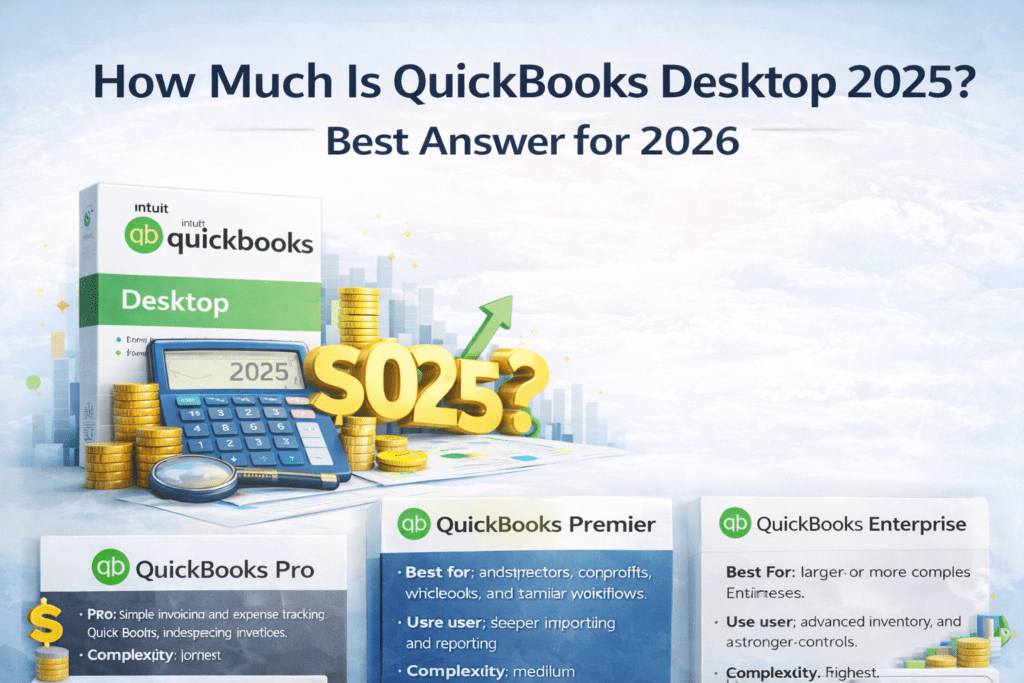
How Much Is QuickBooks Desktop 2025?

How much is QuickBooks Desktop 2025? For new U.S. buyers, there usually is not a simple Pro or Premier 2025 buying path to price because Intuit says it no longer sells Pro or Premier to new customers, and its own help content suggests Enterprise if you do not have an active Desktop subscription. That is why most people searching for β€œQuickBooks Desktop 2025” in 2026 are really trying to answer a different question: what Desktop option should I compare now, and how much will it cost me? Short answer: If you are searching for QuickBooks Desktop 2025, start by comparing QuickBooks Pro, Premier, and Enterprise based on your user count, features, and support needs instead of expecting a normal new Pro/Premier 2025 purchase path. How Much Is QuickBooks Desktop 2025? How much is QuickBooks Desktop 2025? In practice, the answer depends on which currently available Desktop path you are actually comparing. For many buyers, that means looking at Enterprise and then comparing it against available Pro and Premier alternatives on reseller sites. For smaller businesses, the right answer is often not β€œthe newest name,” but the version that fits your bookkeeping needs, budget, and team size. Why People Search for QuickBooks Desktop 2025 Buyers often assume there should be a normal yearly Desktop release, so they search for QuickBooks Desktop 2025 pricing. But Intuit changed the Desktop buying path in the U.S.: it says new subscriptions for QuickBooks Desktop are no longer available to new subscribers, and its newer help documentation specifically notes that it no longer sells Pro or Premier to new customers. That creates confusion. Many users still prefer Desktop because they want local files, familiar workflows, and a non-cloud-first setup. So instead of a simple β€œ2025 price” answer, buyers usually need a decision guide. What Intuit Says Right Now Intuit says QuickBooks Desktop is not available to new subscribers in the United States and that the deadline to purchase a new subscription was September 30, 2024. Read Intuit’s support notice. Intuit’s download and update help page also says it no longer sells Pro or Premier to new customers and suggests Enterprise if you do not have an active QuickBooks Desktop subscription. See the current Intuit help page. What to Compare Instead in 2026 If your search started with β€œhow much is QuickBooks Desktop 2025,” these are the three practical routes most buyers compare next. QuickBooks Pro Best for small businesses that need invoicing, expense tracking, and straightforward bookkeeping without the extra complexity of higher-tier versions. Best for: solo owners and small teams Use case: bookkeeping, invoices, expenses Complexity: lowest View QuickBooks Pro Options QuickBooks Premier Better for businesses that need industry-specific workflows, stronger reporting, and more operational depth than Pro. Best for: contractors, nonprofits, wholesale, and similar workflows Use case: deeper reporting and job costing Complexity: medium View QuickBooks Premier Options QuickBooks Enterprise Best for larger teams that need more users, stronger permissions, advanced inventory, and deeper reporting. Best for: larger or more complex businesses Use case: advanced inventory and multi-user controls Complexity: highest View Enterprise Options Which Version Is Usually the Best Fit? Choose Pro if you want the simplest and most affordable Desktop option. Choose Premier if you need better reporting, industry-specific features, or more workflow depth. Choose Enterprise if you need more users, stronger controls, or advanced inventory. If you want the side-by-side feature breakdown, read: QuickBooks Pro vs Premier vs Enterprise. Related Guides for Buyers Searching β€œQuickBooks Desktop 2025” How Much Does QuickBooks Desktop 2024 Cost? Can I Buy QuickBooks Desktop Without a Subscription in 2026? Download QuickBooks Desktop Browse All QuickBooks Desktop Products QuickBooks Desktop 2025 FAQ Is there a simple QuickBooks Pro or Premier 2025 price for new U.S. buyers? Usually no. Intuit says it no longer sells Pro or Premier to new customers, which is why many buyers end up comparing other currently available Desktop paths instead. What should I compare instead of β€œQuickBooks Desktop 2025”? Most buyers should compare QuickBooks Pro, Premier, and Enterprise based on their business size, number of users, and feature needs. Which version is best for a small business? QuickBooks Pro is usually the easiest starting point for a smaller business that needs bookkeeping, invoices, and expense tracking. Where can I compare all QuickBooks Desktop options in one place? Start with the comparison guide here: QuickBooks Pro vs Premier vs Enterprise. Bottom line: if you are searching for QuickBooks Desktop 2025, the best move is to compare the right currently available Desktop option for your business instead of assuming there is one simple Pro/Premier 2025 price for new U.S. buyers.
How Much Does QuickBooks Desktop 2024 Cost in 2026?
Knowledge Base

How Much Does QuickBooks Desktop 2024 Cost in 2026?

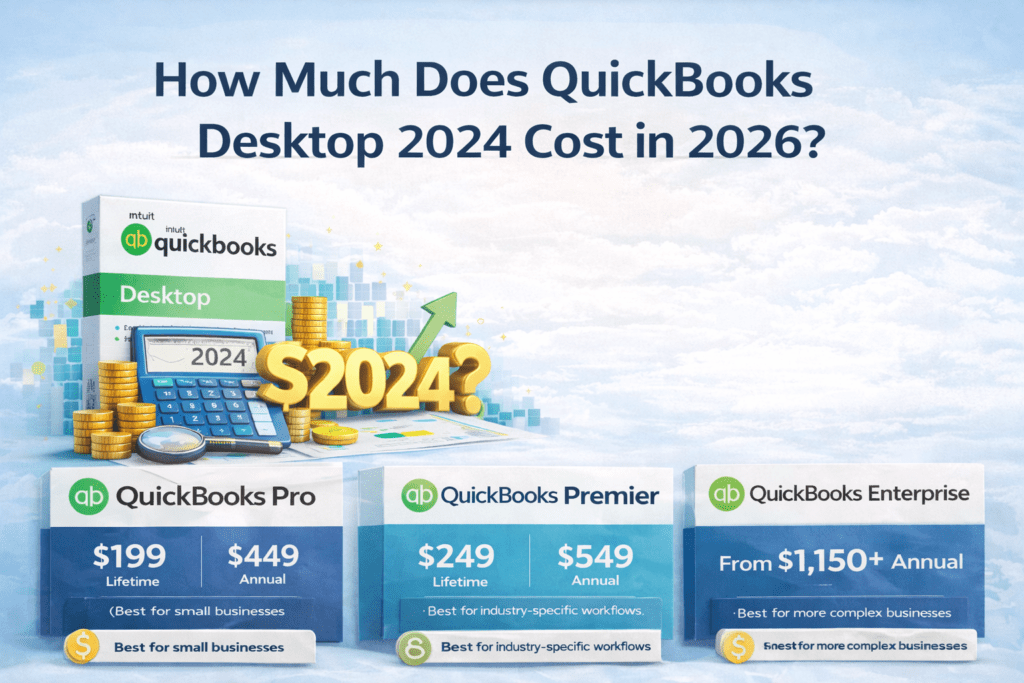
QuickBooks Desktop 2024 is the final version Intuit will ever release. With full support ending May 31, 2027, pricing has become a hot topic in 2026 β€” especially after Intuit’s big price hikes that kicked in on February 1, 2026. Short answer: Here’s the complete, up-to-date pricing comparison as of February 25, 2026. Official Intuit Pricing (Subscription Only) Edition 1-User Annual Price (New Feb 2026 Rate) Extra User Cost Notes Pro Plus / Mac Plus $1,149 / year +$230 per seat Renewals only for existing customers Premier Plus $1,609 / year +$345 per seat Renewals only Enterprise Gold $2,210 / year Varies Full features + payroll Enterprise Platinum $2,717 / year Varies Advanced inventory & pricing Enterprise Diamond $5,364 / year Up to 40 users Most powerful tier Important: Intuit no longer sells new Pro or Premier subscriptions. Only existing users can renew at these higher rates. Cheapest Way: Lifetime Licenses at LicenseRetail.com (One-Time Payment) Edition One-Time Price Original Price Users Supported Best For Pro 2024 Lifetime $199 $599 Up to 3 simultaneous Basic small business Premier Plus 2024 Lifetime $249 $749 Up to 5 simultaneous Inventory, job costing, industry tools Enterprise 2024 Lifetime $1,150 $1,873 Up to 30 users Larger teams, advanced features Why these are the cheapest: πŸ‘‰ Get QuickBooks Desktop 2024 Lifetime License – Starting at Just $199 1-Year Subscription Options at LicenseRetail (Still Cheaper Than Intuit) Which Option Should You Choose in 2026? Choose Lifetime License ($199–$1,150 one-time) if you want: Choose Official Subscription if you need: What Should You Do Right Now? (Action Plan) Ready to lock in the lowest price? Grab your QuickBooks Desktop 2024 lifetime license at the absolute cheapest price on the market right now: πŸ‘‰ Click Here – Pro $199 | Premier $249 | Enterprise $1,150 at LicenseRetail.com Final Thoughts QuickBooks Desktop 2024 prices have never been more confusing β€” or more expensive from Intuit β€” but the lifetime licenses make it affordable again. For most small and medium businesses, paying $199–$249 once beats $1,149+ every single year. Don’t overpay Intuit. Own your software outright while you still can. Secure your 2024 license today before prices rise or stock runs out: πŸ‘‰ Buy Cheap QuickBooks Desktop 2024 Lifetime Licenses Now Your books deserve the best deal β€” and this is it. Last updated: February 25, 2026. Prices can change quickly β€” always verify current offers directly on licenseretail.com or Intuit.com.

can i buy quickbooks desktop without a subscription in 2026
Knowledge Base

Can I Buy QuickBooks Desktop Without a Subscription in 2026?

Can I Buy QuickBooks Desktop Without a Subscription in 2026? The short answer: Yes β€” but no longer from Intuit directly. If you’ve been searching for a way to buy QuickBooks Desktop without a monthly or annual subscription fee, you’ve probably noticed it’s harder to find than it used to be. In July 2024, Intuit quietly discontinued the sale of QuickBooks Desktop Pro Plus, Premier Plus, and Mac Plus to new customers. This guide explains exactly what happened, what your options are, and where you can still get a genuine no-subscription license today. βœ… Genuine QuickBooks Desktop licenses β€” no subscription required LicenseRetail stocks official surplus QuickBooks Desktop licenses at below-retail prices. One-time payment. Instant email delivery. Activation guaranteed or replaced free. QuickBooks Pro 2024 β†’ QuickBooks Premier 2024 β†’ QuickBooks Enterprise 2024 β†’ What Happened β€” Why Intuit Stopped Selling QuickBooks Desktop For decades, QuickBooks Desktop was available as a straightforward one-time purchase β€” you paid once, you owned the software. Starting in 2022, Intuit began pushing users toward subscription-based versions. Then in July 2024, they made it official: Intuit stopped selling new QuickBooks Desktop Pro Plus, Premier Plus, and Mac Plus licenses entirely to new customers. The only QuickBooks Desktop product Intuit still sells directly is QuickBooks Desktop Enterprise β€” and even that now requires an annual subscription paid directly to Intuit. This has left hundreds of thousands of small businesses in a difficult position: they want the power and familiarity of Desktop, without paying a recurring cloud subscription for software they prefer to run locally on their own machines. Can You Still Buy QuickBooks Desktop Without a Subscription? Yes β€” through the secondary surplus license market. When companies close, downsize, or migrate to cloud software, their legitimate QuickBooks Desktop licenses become available for resale. Under US law (the first-sale doctrine, 17 U.S.C. Β§ 109), the legal owner of a software license may resell it. This is the same legal principle behind used bookstores, resale shops, and secondary markets of all kinds. LicenseRetail purchases these surplus licenses from verified corporate sources and resells them to small businesses at significantly below the original retail price β€” with no subscription, no monthly fee, and no annual renewal required. QuickBooks Desktop No-Subscription Licenses Available Now βœ… QuickBooks Desktop Pro 2024 β€” No Subscription License Best for freelancers and small teams. Handles income, expenses, invoicing, payroll, and reporting. Up to 3 simultaneous users. βœ… QuickBooks Desktop Premier 2024 β€” No Subscription License Includes all industry editions: Contractor, Retail, Nonprofit, Manufacturing & Wholesale, and Professional Services. Up to 5 simultaneous users. βœ… QuickBooks Desktop Enterprise 2024 β€” No Subscription License Advanced inventory, custom pricing rules, enhanced reporting, and scales up to 30 simultaneous users. Ideal for growing businesses. All licenses include instant email delivery and our Activation Guarantee β€” if your key doesn’t activate for any reason, we replace it immediately at no cost. QuickBooks Desktop vs Online: True 3-Year Cost Comparison What you actually pay over 3 years β€” including the no-subscription surplus option Feature QuickBooks OnlineMonthly subscription (Intuit) QuickBooks DesktopNo-subscription surplus (LicenseRetail) Entry-level plan Simple Start β€” $30/mo= $1,080 over 3 years QuickBooks Desktop Pro 2024 One-time purchase Save $800+ Mid-tier plan Plus β€” $90/mo= $3,240 over 3 years QuickBooks Desktop Premier 2024 One-time purchase Save $2,800+ Advanced plan Advanced β€” $200/mo= $7,200 over 3 years QuickBooks Desktop Enterprise 2024 One-time purchase Save $5,000+ Works offline βœ— Internet required always βœ“ Fully offline capable You own the software βœ— Renting β€” stop paying, lose access βœ“ Yours permanently Advanced inventory βœ— Limited on most plans βœ“ Full FIFO costing, assemblies Industry editions βœ— Not available βœ“ Contractor, Retail, Nonprofit, Mfg Data ownership Stored on Intuit’s cloud servers βœ“ Your own computer / server Activation guarantee N/A βœ“ Replace free if key fails 3-year total cost $1,080 – $7,200 ⚠️ One-time payment only βœ“ 60–80% average saving over 3 years with a no-subscription Desktop license from LicenseRetail vs QuickBooks Online. Based on QBO Simple Start ($30/mo) vs Desktop Pro surplus pricing over 36 months. πŸ’‘ See current prices on all no-subscription licenses: Pro 2024 β†’ Premier 2024 β†’ Enterprise 2024 β†’ Is It Legal to Buy a Surplus QuickBooks License? Yes. The resale of legitimately purchased software licenses is protected under the first-sale doctrine (17 U.S.C. Β§ 109) in the United States. LicenseRetail sources all licenses exclusively from verified corporate liquidations and authorized surplus sales β€” not grey market or unauthorized channels. You can verify your license key directly at camps.intuit.com (Intuit’s Customer Account Management Portal) after purchase to confirm it is genuine and valid. For a full explanation of our sourcing process, see: How Our Licensing Works. QuickBooks Desktop vs QuickBooks Online β€” Which Should You Choose? If you’re weighing up Desktop versus the cloud subscription version, the cost difference over 3 years is significant. We’ve put together a full breakdown: β†’ QuickBooks Desktop vs Online 2026: Full Cost & Feature Comparison The short version: for most small businesses with any inventory complexity, industry-specific needs, or a preference for owning their data locally, Desktop wins on both cost and features when purchased through the surplus market. Ready to buy QuickBooks Desktop without a subscription? Genuine surplus licenses. Official keys. Instant email delivery. Activation guaranteed. Pro 2024 β†’ Premier 2024 β†’ Enterprise 2024 β†’ Frequently Asked Questions Is QuickBooks Desktop discontinued in 2026? Intuit discontinued new sales of QuickBooks Desktop Pro Plus, Premier Plus, and Mac Plus in July 2024. QuickBooks Desktop Enterprise is still sold by Intuit as an annual subscription. However, genuine no-subscription licenses for all Desktop editions remain available through authorized resellers like LicenseRetail, including Pro 2024, Premier 2024, and Enterprise 2024. Can I still buy QuickBooks Desktop without a monthly fee? Yes. While Intuit no longer sells non-subscription Desktop licenses directly, genuine surplus licenses are legally available through the secondary market under the first-sale doctrine (17 U.S.C. Β§ 109). LicenseRetail sells genuine QuickBooks Desktop licenses with no monthly fee, no annual renewal, and no subscription of any

Knowledge Base

How to Cancel QuickBooks Desktop Subscription 2026 (Step-by-Step)

Canceling your QuickBooks Desktop subscription (Pro Plus, Premier Plus, or Mac Plus) is quick and can be done entirely online in under 5 minutes. Short answer: Log into the CAMPs portal (camps.intuit.com), find your subscription, and click Cancel Service. You keep full access until the end of your current billing cycle. After that, the software switches to view-only mode for 1 full year. Full support for QuickBooks Desktop 2024 ends May 31, 2027. ⚠️ Thinking about canceling because of cost? Before you cancel, check your options. LicenseRetail offers one-time perpetual licenses (no recurring fees) and competitive subscription plans at below-Intuit pricing. You might save significantly without losing access. Official Step-by-Step: Cancel via CAMPs Portal (Recommended) Go to: https://camps.intuit.com Sign in with the email tied to your QuickBooks Desktop subscription. Select the correct QuickBooks Desktop Account if you have multiple. Scroll to Products & Services. Find your subscription and click Details. Click Cancel Service. Choose a cancellation reason (optional). Click Continue to cancel β†’ Cancel Now. You’ll receive an email confirmation immediately. Done! No phone call needed in most cases. Note for Payroll users: Cancel the payroll service separately in the same portal or via Employees β†’ My Payroll Service. QuickBooks Desktop Cancellation Policies (2026) Subscription Type Cancel Anytime? Refund Policy Access After Cancel Pro Plus / Premier Plus (Monthly) Yes None (access to end of month) Full β†’ View-only (1 year) Pro Plus / Premier Plus (Annual) Yes Full refund within 60 days only Full β†’ View-only (1 year) Enterprise (Monthly) Yes Termination fee may apply after 60 days Full β†’ View-only (1 year) Enterprise (Annual) Yes No prorated refund after 60 days Full β†’ View-only (1 year) Important: Cancel at least 5 days before your renewal date to avoid the next charge. No prorated refunds on annual plans after 60 days. You keep your company data file on your computer permanently. What Happens After You Cancel Until billing cycle ends: Full access β€” edit transactions, bank feeds, payroll, updates. After billing cycle ends: View-Only Mode for 1 year β€” open and view reports and historical data, but cannot add or edit transactions. After 1 year: File becomes inaccessible until you renew or buy a new license. Pro tip: Before canceling, export all key reports to Excel/PDF and create a full local backup via File β†’ Create Backup. Before You Cancel Checklist (2026) Back up your company file (File β†’ Create Backup). Export important reports and lists to PDF or Excel. Reconcile all accounts and print final payroll/tax reports. Decide your next step (see options below). Smart Alternatives After Canceling βœ… Stay on Desktop β€” No Subscription Buy a genuine surplus 2024 license as a one-time payment. No annual fees. Works offline. Data stays on your computer. Pro β€” One-Time Premier β€” One-Time πŸ”„ Switch to a Cheaper Subscription LicenseRetail offers subscription plans at below-Intuit pricing. Latest version, live payroll, all updates included. Browse Subscription Plans Read Also: Can I Buy QuickBooks Desktop Without a Subscription? Β· QuickBooks Desktop vs Online 2026 Last updated: February 2026. Always verify directly in your CAMPs account as Intuit policies can change. Frequently Asked Questions How do I cancel my QuickBooks Desktop subscription? Log into camps.intuit.com with your Intuit account email. Go to Products & Services, find your active subscription, click Details, then click Cancel Service. Follow the prompts and you’ll receive a confirmation email immediately. No phone call required. Can I still access my data after canceling QuickBooks Desktop? Yes. After canceling, you get full access until your billing cycle ends. After that, QuickBooks enters View-Only Mode for 1 year β€” you can open and view your company file and reports but cannot add or edit transactions. After 1 year in view-only mode, the file becomes inaccessible until you renew or buy a new license. Can I get a refund when I cancel QuickBooks Desktop? For annual subscriptions, a full refund is available only within 60 days of purchase or renewal. After 60 days, no prorated refunds are issued. Monthly subscriptions provide access to the end of the current billing month with no refund. What happens to my QuickBooks company file if I cancel? Your company file (.QBW) is stored locally on your computer and stays there permanently β€” it does not get deleted. You can always back it up, move it, or open it again if you purchase a new license in the future. Before canceling, export important reports and create a local backup just in case. What’s the cheapest alternative after canceling QuickBooks Desktop? The most cost-effective option is a one-time perpetual license from LicenseRetail β€” you pay once and own the software with no annual renewal. This saves most businesses hundreds of dollars per year compared to the Intuit subscription price. Annual subscription plans at below-Intuit pricing are also available if you prefer that model.

Knowledge Base

How to Move QuickBooks Desktop to a New Computer in 2026: Complete Step-by-Step Guide (Before Support Ends May 31, 2027)

Moving QuickBooks Desktop to a new computer is straightforward and completely free when done correctly. Whether you’re upgrading your laptop, switching from an old desktop, or setting up a new workstation, you can transfer the full program plus your company files without losing data. Short answer: Use Intuit’s free Migrator Tool (best for single-user setups on QuickBooks Desktop 2018–2024). It copies the software + up to 3 company files via USB in about 30–60 minutes. For multi-user setups, older versions, or if you prefer control, use the manual method (reinstall + restore backup). As of February 2026, QuickBooks Desktop 2024 is the final version. Full support ends May 31, 2027, so moving now while everything still works perfectly is ideal. Migrator Tool vs Manual Method – Quick Comparison Method Best For Time What Moves Requirements Migrator Tool Single-user, 2018–2024 versions 30–60 min Program + up to 3 company files + templates, reports, attachments USB flash drive, internet on new PC Manual Multi-user, pre-2018, full control 45–90 min Program + all company files (you choose) Backup file, license key Prerequisites (Do This First on Both Computers) Method 1: Migrator Tool (Recommended for Most Users) On the OLD Computer On the NEW Computer Important: Method 2: Manual Transfer (For Multi-User or Full Control) Step 1: Install QuickBooks on the New Computer Step 2: Move Your Company File(s) Option A – Backup & Restore (Safest) Option B – Copy Entire Data Folder After Moving – Must-Do Checklist Common Problems & Fixes What Should You Do Right Now? (2026 Action Plan) Final Thoughts Moving QuickBooks Desktop to a new computer in 2026 is quick, safe, and gives you peace of mind before the May 31, 2027 support deadline. Use the Migrator Tool for speed, or go manual for complete control β€” either way, your data stays 100% intact. Don’t risk running an outdated, unsupported version on new hardware after 2027. Move now while tools and support are still free and reliable. Need fresh licenses for the new computer? Grab the final QuickBooks Desktop 2024 licenses at the absolute lowest price anywhere: πŸ‘‰ Click Here to Buy Cheap QuickBooks Desktop Licenses at LicenseRetail.com Your books deserve to run smoothly on your new machine. Move today and get back to business. Last updated: February 2026. Always verify the latest steps directly in your QuickBooks or on Intuit’s official support site.

Knowledge Base

How to Transfer QuickBooks Desktop to Online Quickbooks in 2026?

Complete Step-by-Step Migration Guide (Before May 31, 2027) Switching from QuickBooks Desktop to QuickBooks Online (QBO) is now the smartest move for most businesses. With full support for the final Desktop version (2024) ending on May 31, 2027, migrating now gives you time to do it right β€” without rushing or losing data. Short answer: You can transfer your company file using Intuit’s free built-in migration tool (inside Desktop) or the online migration tool. Most lists, transactions, and balances move automatically, but some items (like detailed inventory, custom fields, and full payroll history) need manual cleanup or don’t transfer. The process usually takes 30 minutes to a few hours depending on your file size. Here’s the exact 2026 process with every step, preparation checklist, what transfers vs. what doesn’t, and verification tips. What Transfers and What Doesn’t (Important Limitations) Category Transfers Well Does NOT Transfer or Has Limitations Lists Chart of Accounts, Customers, Vendors, Items (basic) Bank account numbers, custom fields, price levels, full customer types Transactions Invoices, Bills, Payments, Journal Entries, Estimates Open purchase orders, progress invoicing details, some subtotals Inventory Basic inventory (Plus/Advanced plans only, as FIFO) Units of measure, assemblies (become non-inventory), full history Payroll Current-year paychecks (as checks), employees Full payroll reports, detailed YTD setups, QuickBooks Time data Other Attachments (<30MB), reconciled status, budgets (P&L) Audit trail details, memorized reports, closing date password, bank feeds setup Pro tip: Print your Sales Tax Report and reconcile all bank/credit card accounts before you start. Preparation Steps (Do These First) Step-by-Step: How to Migrate (2026 Method) Option 1: Built-in Tool Inside QuickBooks Desktop (Easiest – Recommended) For Pro/Premier 2022 or newer: For Enterprise: Press Ctrl + 1 β†’ then Ctrl + B + Q β†’ OK. Option 2: Online Migration Tool (No Desktop needed / for accountants) Go to: Upload your .QBW, .QBM, or .QBB backup file and follow the prompts. Mac users: First create a Windows backup of your Mac file, then use the tool. After Migration: Verify Everything Common Issues & Fixes Free help available: Intuit still offers expert-assisted migration at no cost for many Desktop users. Call them or use QuickBooks Live. What Should You Do Right Now? (2026 Action Plan) Still want to stay on QuickBooks Desktop a little longer? No problem β€” buy brand-new 2024 Pro, Premier, or Enterprise licenses at the absolute cheapest price on the market before stock runs out. βœ… Authentic keys β€’ Instant email delivery β€’ Lowest prices guaranteed πŸ‘‰ Get New QuickBooks Desktop Pro / Premier / Enterprise – Cheapest Price Final Thoughts Transferring from QuickBooks Desktop to QuickBooks Online in 2026 is straightforward, free, and gives you cloud access, automatic updates, and mobile apps β€” all while you still have full Desktop support to fall back on. Don’t wait until 2027 when everything becomes unsupported and rushed. Migrate now while Intuit’s tools and free help are readily available. Ready to move? Start with the built-in tool today. Still love Desktop? Grab the final new licenses at the lowest price anywhere: πŸ‘‰ Click Here to Buy Cheap QuickBooks Desktop 2024 Licenses at LicenseRetail.com Your books deserve to be secure and future-proof. Make the switch (or stock up) today. Last updated: February 2026. Always verify the latest steps directly in your QuickBooks Desktop or on Intuit’s support site, as tools can be updated.

Knowledge Base

How to Update QuickBooks Desktop in 2026?

If you’re still running QuickBooks Desktop, keeping it updated is critical for security, payroll accuracy, bank feeds, and overall performance. Short answer: Updating QuickBooks Desktop has two parts: As of February 2026, QuickBooks Desktop 2024 is the final version released. Its latest maintenance release is R18_60. Full support ends May 31, 2027. ⚠️ Need a new 2024 license? If your subscription has expired and you need to get back on 2024, LicenseRetail offers both one-time surplus licenses and annual subscription plans. Instant email delivery. Step 1: Check Your Current Version & Release Windows: Mac: Press Command + 1 to open Product Information. Latest releases (February 2026): How to Update Maintenance Releases (Same Year Version) Method 1: Inside QuickBooks (Easiest & Recommended) Windows: Mac: QuickBooks menu β†’ Check for QuickBooks Updates β†’ Install and Relaunch. Pro tip: Enable automatic updates β€” Windows: Update window β†’ Options tab β†’ Yes. Mac: Check “Automatically download and install updates”. Method 2: Manual Download from Intuit How to Upgrade to a Newer Year Version (e.g., 2022/2023 β†’ 2024) Available if you have an active Plus subscription or purchase a new 2024 license. Always back up first! File β†’ Create Backup before any upgrade. Payroll & Tax Table Updates (Separate but Critical) Troubleshooting Common Update Problems Why You Must Keep Updating in 2026 Action Plan: What to Do Right Now βœ… One-Time License Pay once. No subscription. No annual renewal. Pro 2024 β€” No Subscription πŸ”„ Annual Subscription Latest version, live payroll, always updated. Browse Subscriptions Read Also: When Is QuickBooks Desktop Going Away? Β· Can I Buy QuickBooks Desktop Without a Subscription? Last updated: February 2026. Always verify the latest release number inside QuickBooks or on Intuit’s Downloads page. Frequently Asked Questions How do I update QuickBooks Desktop to the latest version? Go to Help β†’ Update QuickBooks Desktop β†’ Update Now tab β†’ check QuickBooks Desktop Update β†’ click Get Updates. Restart when prompted and click Install Now. For the latest 2024 release, this brings you to R18_60. What is the latest QuickBooks Desktop 2024 release? As of February 2026, the latest release for QuickBooks Desktop 2024 (Windows) is R18_60. For QuickBooks 2023, it is R17_35. For QuickBooks Mac Plus 2024, it is R10.2. Check your version by pressing F2 inside QuickBooks. Can I update QuickBooks Desktop without a subscription? Yes. Maintenance updates (R-releases within your current year version) are free regardless of subscription status. What requires an active subscription is upgrading to a newer year version (e.g., 2023 β†’ 2024). If your subscription has ended, you can still update within your installed version. When does QuickBooks Desktop 2024 support end? Full support for QuickBooks Desktop 2024 ends May 31, 2027. After this date, Intuit will no longer provide security patches, updates, or live support. Core accounting features will continue to work, but bank feeds and payroll will stop functioning. My QuickBooks update keeps failing β€” what do I do? Try the manual download method: visit downloads.quickbooks.com/app/qbdt/products, select your edition and version, and download the update file directly. Run it as Administrator. If the issue persists, it may indicate an expired subscription β€” in which case a new license from LicenseRetail will resolve it.

When Is QuickBooks Desktop Going Away?
Knowledge Base

When Is QuickBooks Desktop Going Away?

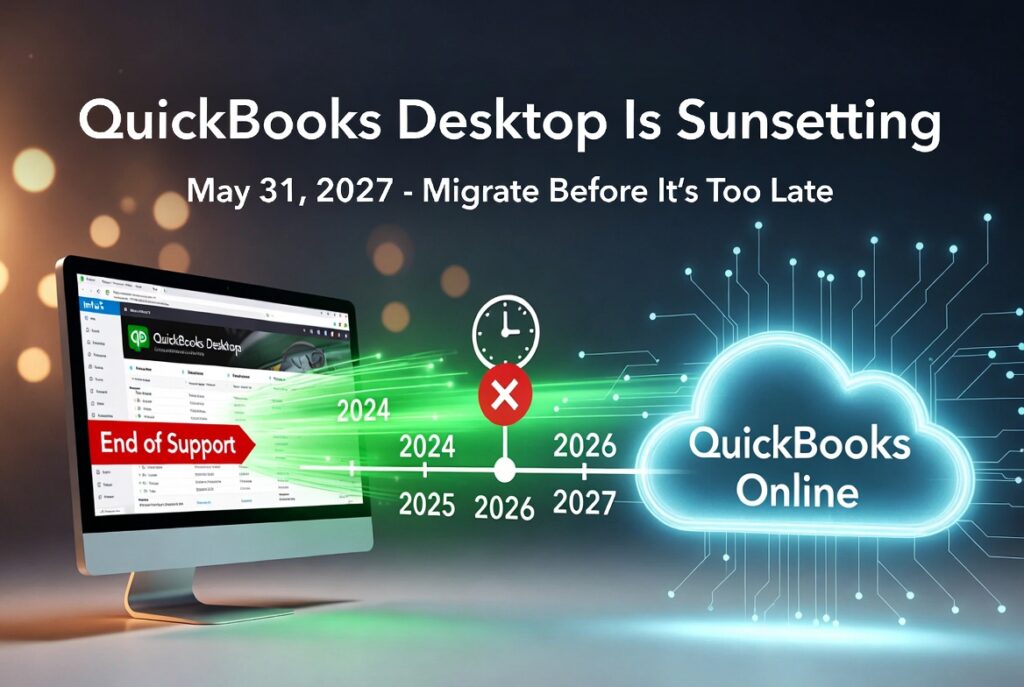
The Complete 2026 Timeline + What It Means for Your Business QuickBooks Desktop has been a staple for millions of small businesses for decades. But if you’ve heard rumors that it’s β€œgoing away,” you’re not alone β€” and the confusion is real. Short answer: QuickBooks Desktop is not disappearing overnight. New sales of the main Pro, Premier, and Mac versions stopped in 2024, no new major versions are being released after 2024, and full support for the final version (2024) ends on May 31, 2027. After that date, the software will still run on your computer, but you’ll lose security updates, technical support, payroll integration, bank feeds, and other critical services. Here’s the full, up-to-date picture as of February 2026. The Official Timeline (U.S. Focus) Date What Happened / Will Happen Affected Versions Sept 30, 2024 Intuit stopped selling new subscriptions to Pro Plus, Premier Plus, Mac Plus & Enhanced Payroll Pro, Premier, Mac (new customers) May 31, 2025 Full support ended (no more updates, payroll, bank feeds, live support) 2022 versions May 31, 2026 Full support ends 2023 versions May 31, 2027 Full support ends for the last QuickBooks Desktop version ever released 2024 versions (Pro, Premier, Mac) After May 31, 2027 Software still works offline but is completely unsupported All non-Enterprise Desktop Important notes: What β€œSupport Ending” Actually Means After the discontinuation date for your version: The software doesn’t suddenly delete itself or stop launching β€” it just becomes an unsupported legacy product. Why Is Intuit Doing This? Intuit is aggressively pushing everyone toward QuickBooks Online (QBO) β€” their cloud platform. What Should You Do Right Now? (Action Plan for 2026) How to Migrate Smoothly (Quick Tips) Final Thoughts QuickBooks Desktop isn’t vanishing tomorrow, but its end is clearly in sight β€” May 31, 2027 is the real deadline for the last supported version. Businesses that wait until 2027 will face rushed migrations, potential data issues, and higher costs. The smartest move in 2026 is to start planning your transition now while you still have full support and time to do it right. Still want to stay on Desktop a little longer? Stock up on the final new QuickBooks Desktop Pro, Premier, or Enterprise licenses at the absolute cheapest prices on the market today at LicenseRetail.com. πŸ‘‰ Click Here to Get Your New QuickBooks Desktop License at the Lowest Price Your business deserves software that’s secure, supported, and built for the future β€” or the best deal on the last desktop licenses while they last. Last updated: February 2026. Always verify current pricing and availability directly on licenseretail.com.

Knowledge Base

QuickBooks Desktop 2024 Review 2026 : Still Worth It Today?

If you’re searching QuickBooks Desktop 2024 review in 2026, you’re not alone. Thousands of small business owners, bookkeepers, and accountants want to know: is it still worth using β€” or is it time to switch? Quick Verdict β€” Key Takeaways QuickBooks Desktop 2024 is still fully functional for core accounting in 2026 Intuit stopped selling new Pro, Premier & Mac Plus subscriptions after September 30, 2024 No QuickBooks Desktop 2025 was released β€” 2024 is the final version for Pro/Premier Biggest risks: connected services (bank feeds, payroll, payments) winding down Surplus perpetual licenses are legally available β€” no subscription required Smart choice if you value local data control and stable workflows Want QuickBooks Desktop 2024 without a subscription? LicenseRetail sells genuine surplus perpetual licenses β€” one-time payment, no monthly fees, no subscription ever required. View Pro 2024 β€” No Subscription β†’ What Actually Changed in 2026 Two major events created all the confusion around QuickBooks Desktop: Stop-sell for new US subscribers β€” Intuit stopped selling new subscriptions for QuickBooks Desktop Pro Plus, Premier Plus, and Mac Plus to brand-new US customers after September 30, 2024. No 2025 version β€” There is no standard QuickBooks Desktop 2025 release. The 2024 version remains current and final for Pro/Premier users. The result: the only way to get QuickBooks Desktop Pro or Premier today is through the secondary market β€” via legitimate surplus licenses sold under the first-sale doctrine. Pros and Cons β€” Honest 2026 Assessment βœ… Where QuickBooks Desktop 2024 Still Wins Your data stays 100% on your own computer β€” no cloud, no subscription required Familiar desktop workflows that long-time bookkeepers and accountants prefer Excellent for complex reporting, multi-year history, and detailed job costing Native Windows 11 (64-bit) support β€” runs smoothly when installed correctly Lower long-term cost with a one-time perpetual license vs annual subscription Works completely offline β€” no internet required for core accounting ❌ Where It’s Now Risky Connected services (live bank feeds, payroll updates, payments) require an online subscription No future major version upgrades β€” 2024 is the final Pro/Premier release Live technical support has a limited window (plan for ~2027 end of service) Not ideal for remote/mobile teams who need anytime access from any device Support & Services Timeline β€” What “Supported” Really Means In 2026, “still supported” means different things depending on the service: Service Status in 2026 Core bookkeeping, invoicing & reports βœ… Works fully β€” no internet needed Manual bank reconciliation βœ… Works fully β€” import statements manually Live bank feeds ⚠️ Requires active Intuit subscription Payroll (automated tax tables) ⚠️ Requires active payroll subscription Credit card & payment processing ⚠️ Subscription-dependent Live technical support βœ… Available while subscribed (until ~2027) Security & software updates βœ… Available during supported period Pricing Reality in 2026 β€” Subscription vs One-Time License Intuit now pushes everyone toward annual subscriptions: Pro Plus subscription: $1,149/year (raised February 2026) Premier Plus subscription: $1,609/year Enterprise Silver: from $1,703/year The alternative β€” and what many businesses are choosing β€” is a genuine surplus perpetual license. These are legitimate corporate volume licenses resold under the first-sale doctrine. No subscription, no annual renewal, no recurring fees. See our full breakdown: How Much Does QuickBooks Desktop Cost in 2026? QuickBooks Desktop 2024 vs Online vs Enterprise β€” Honest Comparison Need Desktop 2024 QuickBooks Online Desktop Enterprise Local data control βœ… Best ❌ Cloud only βœ… Excellent Works fully offline βœ… Yes ❌ No βœ… Yes No subscription option βœ… Surplus license ❌ Always subscription βœ… Surplus license Advanced inventory ⚠️ Basic only ⚠️ Plan-dependent βœ… Best in class Remote / mobile access ⚠️ Needs hosting βœ… Easiest βœ… With hosting Users supported Up to 3 (Pro) / 5 (Premier) Unlimited (paid per user) Up to 40 Best for Small businesses, local workflows Remote/mobile teams Growing businesses Full breakdown: QuickBooks Desktop vs Online 2026 β€” The Full Comparison Who Should Keep QuickBooks Desktop 2024 in 2026? βœ… Desktop 2024 is the right choice if you: Want your data on your own computer β€” not in the cloud Prefer to pay once and own it permanently Run a small business with 1–5 users on a local network Need detailed reporting and multi-year company history Already know Desktop well and don’t want to relearn QuickBooks Online ❌ Consider switching if you: Need access from multiple devices or remote locations Rely heavily on live bank feeds and automated payroll Have a team larger than 5 users (consider Enterprise instead) Want automatic software updates and cloud backups Risk-Reduction Checklist β€” If You Keep Desktop 2024 Run on Windows 11 (64-bit native) β€” not Windows 10 which lost support Oct 2025 Set up daily local backups + weekly offsite or cloud backup of your .QBW file Export key reports monthly to PDF or Excel as a safety net Document your license number, product key, and download source Decide now on your exit plan β€” Online or Enterprise β€” for when support ends around 2027 Get a genuine no-subscription license β€” Pro, Premier or Enterprise One-time payment. No subscription. No monthly fees. Your data stays offline on your computer. Pro 2024 β†’ Premier 2024 β†’ Enterprise 2024 β†’ Frequently Asked Questions Is QuickBooks Desktop 2024 still supported in 2026? Yes for core accounting features β€” invoicing, reports, expense tracking all work fully. Connected services like live bank feeds and payroll require an active Intuit subscription. Full support is expected through approximately 2027. Can I still buy QuickBooks Desktop 2024 as a new customer? Yes β€” through the secondary market. Intuit stopped selling new Pro/Premier subscriptions in the US after September 30, 2024, but genuine surplus perpetual licenses are legally available through retailers like LicenseRetail under the first-sale doctrine. Is there a QuickBooks Desktop 2025? No. Intuit did not release a standard QuickBooks Desktop 2025 for the Pro/Premier line. QuickBooks Desktop 2024 is the current and final version. Enterprise continues to receive updates under its subscription model. What happens if my QuickBooks Desktop subscription expires? You typically lose access to connected services

Knowledge Base

QuickBooks Desktop Download 2026: Safe Official Link + Install Guide

Looking for the safe official QuickBooks Desktop download link in 2026? Whether you’re reinstalling after a PC crash, moving to a new computer, or setting up a fresh license β€” this guide has the exact steps. ⚠️ Important Before You Download Only download from Intuit-owned pages β€” never from third-party sites offering “cracks” or “keygens” Intuit stopped selling new Pro/Premier/Mac Plus subscriptions in the US after September 30, 2024 QuickBooks Desktop 2024 is the current final version β€” there is no 2025 or 2026 edition for Pro/Premier You need a valid license key to activate after downloading β€” see below if you need one Need a genuine QuickBooks Desktop license to activate? LicenseRetail sells genuine surplus perpetual licenses β€” one-time payment, no subscription required. Pro 2024 β†’ Enterprise 2024 β†’ The Only Safe Download Sources in 2026 Rule #1: Only download from Intuit-owned domains. Official QuickBooks Desktop Download Page (2026): https://downloads.quickbooks.com/app/qbdt/products Sign in with your Intuit account β†’ select Country β†’ Product β†’ Version (2024) β†’ Download βœ… Safe domains: quickbooks.intuit.com Β· downloads.quickbooks.com ❌ Avoid: Any site offering cracked versions, free serial keys, or “unlock” payments ❌ Avoid: Torrent sites, unofficial mirrors, or any domain that isn’t intuit.com System Requirements β€” QuickBooks Desktop 2024 Component Minimum / Recommended Operating System Windows 11 64-bit (strongly recommended) or Windows 10 64-bit Processor 2.4 GHz or faster (Intel or AMD x86 β€” ARM not supported) RAM 8 GB minimum Β· 16 GB recommended Disk Space 2.5 GB + space for company file Screen Resolution 1280 Γ— 1024 or higher Internet Not required for core features β€” fully offline capable Note: Microsoft ended Windows 10 support in October 2025. Windows 11 is strongly recommended for maximum security. Before You Install β€” 5-Minute Prep Checklist Back up your existing company file (.QBW) to an external drive or cloud storage Note your current license number and product key (Help β†’ Product Information in QuickBooks) Make sure you’re logged in as a Windows Administrator Download the latest QuickBooks Tool Hub first β€” it fixes 90% of installation issues Temporarily disable antivirus during install (re-enable after) Step-by-Step Installation Guide β€” Windows 11 & Windows 10 Go to downloads.quickbooks.com β†’ sign in β†’ select your product and version (2024) β†’ Download Once downloaded, right-click the installer file β†’ Run as Administrator Accept the license agreement β†’ choose install type: Express β€” single user, installs to default location (recommended for most) Custom/Network β€” multi-user setup or custom install path Enter your License Number and Product Number when prompted Click Install β†’ wait for completion (5–10 minutes) Open QuickBooks β†’ it will automatically check for and install the latest update (R18_60 as of 2026) Open your company file and verify everything loads correctly Common Installation Errors & Fast Fixes First step for any error: Download and run QuickBooks Tool Hub (latest version) β€” it fixes most issues automatically. Error Cause Fix Error 3371 License component issue Tool Hub β†’ Installation Issues β†’ 3371 Error Fix (30 seconds) Error 1603 / 1935 Microsoft components missing Tool Hub β†’ Quick Fix my Program β†’ reboot β†’ retry as Admin H202 / H505 Multi-user network issue Tool Hub β†’ Network Issues tab β†’ QuickBooks Database Server Manager Error 6123 / 6000 Company file access issue Tool Hub β†’ Company File Issues β†’ Run QuickBooks File Doctor Not responding / freezing Program corruption Tool Hub β†’ Program Problems β†’ Quick Fix my Program For installation help, see also: How to Install QuickBooks Desktop 2024 β€” Full Step-by-Step Guide Moving QuickBooks to a New Computer? Download the installer fresh on the new computer from the official link above Transfer your company file (.QBW) via external drive, USB, or network share Deactivate the license on your old computer first (Help β†’ Manage My License β†’ Deactivate) Activate on the new computer using the same license key Full guide: How to Move QuickBooks Desktop to a New Computer Need a genuine license to activate your download? One-time payment β€” no subscription required. Each license is manually verified before delivery. Pro 2024 β†’ Premier 2024 β†’ Enterprise 2024 β†’ Frequently Asked Questions Where can I download QuickBooks Desktop safely in 2026? Only from Intuit’s official portal: downloads.quickbooks.com/app/qbdt/products. Sign in with your Intuit account, select your country, product, and version (2024), then download. Can I still download QuickBooks Desktop 2024 in 2026? Yes β€” if you have a valid license key. You can always download the installer from Intuit’s official portal. You need your license number and product number to activate after downloading. Is there a free trial for QuickBooks Desktop 2024? Yes β€” Intuit offers a 30-day free trial for QuickBooks Desktop Enterprise (no credit card required). Pro and Premier no longer have new trials available as of the 2024 stop-sell. Does QuickBooks Desktop 2024 work on Windows 11? Yes. Fully supported on Windows 11 64-bit natively installed. Windows 11 is strongly recommended since Microsoft ended Windows 10 support in October 2025. What is the latest version/release of QuickBooks Desktop 2024? As of 2026, the latest release is R18_60. QuickBooks will prompt you to update automatically when you first open it after installation. You can also manually check: Help β†’ Update QuickBooks Desktop. I lost my license key β€” how do I recover it? Log in to your Intuit account at camps.intuit.com and look under Licenses & Products. If you purchased from LicenseRetail, check your original delivery email β€” your license key is in there. How do I fix QuickBooks Error 3371? Download and run the QuickBooks Tool Hub β†’ go to Installation Issues β†’ click the 3371 Error Fix button. This takes about 30 seconds and fixes the issue in almost all cases. Where do I get a genuine license key if I don’t have one? LicenseRetail sells genuine surplus perpetual licenses for QuickBooks Desktop Pro, Premier, and Enterprise 2024 β€” one-time payment, no subscription required. Each license is manually verified before delivery and covered by our Activation Guarantee.

Scroll to Top