Knowledge Base

how-much-is-quickbooks-desktop-2024-complete-price-guide
Knowledge Base

How Much is QuickBooks Desktop 2024? Complete Price Guide

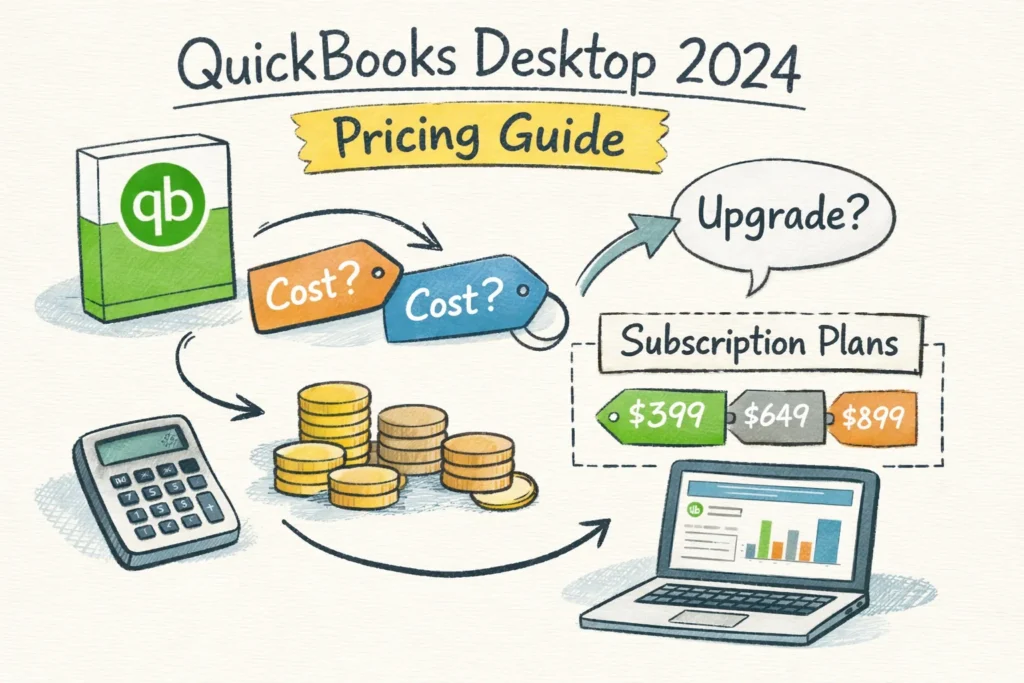
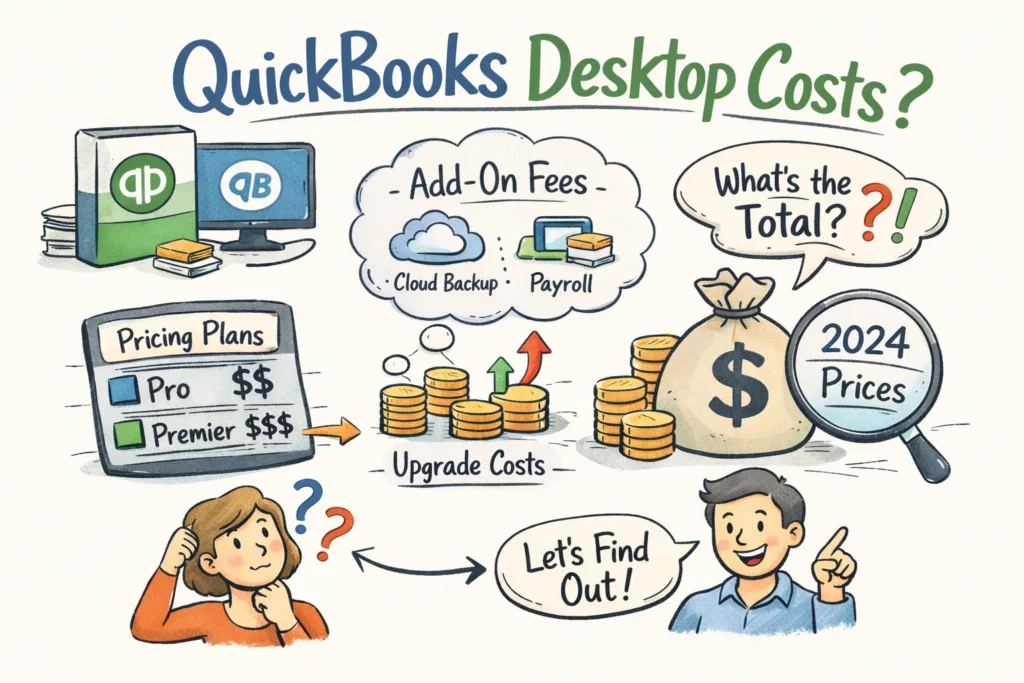
QuickBooks Desktop 2024 Pricing Guide How Much is QuickBooks Desktop 2024? Complete Price Guide How much is QuickBooks Desktop 2024? The real answer depends on the edition, the buying path, and the extra costs that show up after the base license, such as payroll, payments, hosting, and renewals. Browse QuickBooks Desktop View Enterprise Options Important: QuickBooks Desktop 2024 can be bought through more than one path. Intuit’s direct sales shifted heavily toward subscriptions, while reseller channels such as LicenseRetail may still offer Desktop 2024 as a 1-year subscription or as a one-time-payment option depending on product and availability. How much is QuickBooks Desktop 2024? It depends on the edition you choose and where you buy the license. Prices range from lower-cost reseller one-time keys to higher annual Enterprise subscriptions, and add-ons such as payroll, payments and hosting create ongoing costs. This guide breaks down typical Pro, Premier and Enterprise numbers, buying options, renewal risks and simple TCO examples so you can budget with confidence. There are two common buying paths: Intuit’s Pro Plus annual subscriptions and reseller one-time license keys. Subscriptions include updates and Intuit support for the year; reseller keys can lower upfront cost but may not include direct Intuit support or guaranteed future updates. Factor renewal costs, payroll per-employee fees, hosting and payment processing when you compare both routes. Key takeaways Pick the right edition first Pro is usually best for smaller teams, Premier adds stronger reporting and job costing, and Enterprise is designed for larger or more complex operations. Buying path matters Subscription pricing and reseller one-time pricing can look very different on day one, but the long-term costs may reverse that first impression. Add-ons change everything Payroll, payment processing, hosting, and support often have a bigger effect on cost than the base license itself. Model 1- and 3-year totals The safest way to decide is to compare one-year and three-year total cost before you buy. Quick summary to guide your decision: pick the edition that matches user count and features, decide whether subscription benefits justify recurring fees, and include add-ons in your total cost. Compare one- and three-year scenarios against QuickBooks Online before you commit. Verify reseller credentials and get a validated quote if you want assisted setup or activation support. Edition choice: Pro fits 1–3 users; Premier adds industry reports and job costing; Enterprise supports larger teams and advanced inventory. Buying options: Pro Plus subscriptions include updates and support; reseller one-time keys reduce upfront expense but can limit official support and future updates. Add-ons and renewals: Payroll, payment processing, hosting and annual renewals often add more to your bill than the base license. TCO comparison: run one- and three-year totals to decide whether subscription convenience or a lower upfront license is the better fit. Where to buy and get help: request a validated quote and consider a certified partner for license delivery, activation and migration support. Need current Desktop 2024 pricing options? Compare Pro, Premier, and Enterprise on LicenseRetail and choose between subscription-style and one-time-payment listings where available. QuickBooks Pro 2024 QuickBooks Premier 2024 QuickBooks Enterprise 2024 QuickBooks Desktop 2024 at a glance: editions, buying paths and what changes in 2024 QuickBooks Desktop 2024 comes in three main editions built for different team sizes and workflows. Pro covers basic bookkeeping and invoicing for one to three users, Premier adds industry-specific reports and job-costing for up to five users, and Enterprise scales to more users with advanced inventory, reporting and role-based permissions. Choose the edition that fits feature needs and seat counts to avoid overpaying for unused capacity. Reported 2024 partner examples show Pro Plus near $999 per year, Premier Plus around $1,399 per year, and Enterprise White Gold and Silver tiers in the roughly $2,243 and $1,703 per year ranges respectively. Reseller one-time keys reported on marketplaces fall broadly between $195 and $489 for Pro-level licenses, though enterprise reseller quotes vary substantially with seat count and services. Multi-user fees, payroll and hosting change the effective cost quickly, so keep seat counts visible as you compare offers. Edition Typical fit Pricing direction Pro 1–3 users, basic bookkeeping Lower annual subscription or lower-cost reseller options Premier Industry-specific workflows, job costing Mid-range annual subscription pricing Enterprise Larger teams, advanced inventory, reporting Higher quote-driven pricing Exact 2024 prices: how much is QuickBooks Desktop 2024 by edition Public retail pricing for Desktop is inconsistent, so expect to treat listed figures as ranges rather than a single sticker price. The numbers below reflect partner and reseller reports; confirm current quotes with your reseller or Intuit sales before you purchase. For a fuller breakdown and pricing context see our detailed pricing guide for QuickBooks Desktop 2024. Use these ranges to model your one- and three-year totals and to check reseller offers for missing services or hidden fees. Pro Plus (subscription): approximately $999 per year. Premier Plus (subscription): approximately $1,399 per year. Enterprise tiers (reported examples): White Gold about $2,243 per year; Silver about $1,703 per year. Reseller one-time license examples: marketplace and ProAdvisor keys reported around $195 to $489; enterprise reseller quotes vary by users and included services. Multi-user add-ons often double or more the effective cost for small teams. For example, a Pro Plus base at $999 plus two extra seats at roughly $200 each brings the annual total to about $1,399. Enterprise partner bundles that include seats and services can push totals significantly higher, so confirm per-seat pricing and what services are included before you commit. Fast price snapshot Product Typical starting point Notes Pro Plus ~$999/year Subscription route Premier Plus ~$1,399/year Subscription route Enterprise ~$1,703–$2,243+/year Quote-driven and seat-sensitive Reseller one-time keys ~$195–$489 reported Varies by seller, support, and license type Add-ons, payroll and renewal fees to budget for The headline license is only the start of expense planning. Payroll, payments, hosting and annual renewals are recurring charges that shape total cost of ownership and should be included in any budget spreadsheet. Build these items into one- and three-year scenarios so the base license doesn’t disguise ongoing costs. Payroll
where-to-buy-quickbooks-desktop-authorized-sellers
Knowledge Base

Where to Buy QuickBooks Desktop: Authorized Sellers

QuickBooks Buying Guide Where to Buy QuickBooks Desktop: Authorized Sellers If you are deciding where to buy QuickBooks Desktop, the first step is understanding which editions Intuit still sells directly and which ones are now mostly handled through authorized resellers. Browse QuickBooks Desktop View Enterprise Options Important: Intuit stopped direct new sales of QuickBooks Desktop Pro Plus, Premier Plus, and Mac Plus after September 30, 2024. That means if you want Pro or Premier today, you will usually buy through an authorized reseller such as LicenseRetail. QuickBooks Desktop Enterprise is still available through Intuit and also through reseller channels. If you are deciding where to buy QuickBooks Desktop, start by checking which editions Intuit still sells and how resellers handle licensing. Intuit stopped new sales of Pro Plus, Premier Plus, and Mac Plus on September 30, 2024, and those lines are renewals-only; renewals include price increases effective February 1, 2026. QuickBooks Desktop Enterprise is still available directly from Intuit and covers advanced desktop needs. For new Pro or Premier licenses, plan to purchase through an Intuit-authorized reseller rather than relying on direct Intuit sales. Buying directly from Intuit makes sense when you need Enterprise features, formal hosting, or bundled Intuit support and account linkage. Enterprise purchases include official activation guidance and clear upgrade paths. Direct purchase gives you official support channels that some resellers may not match. If Enterprise isn’t required, an authorized reseller is usually the faster, lower-friction option. Before you buy, take a few practical steps: verify the reseller’s credentials, confirm how they verify license keys, and decide whether you need a boxed copy or an instant digital download. If you are migrating company files, check compatibility and available migration windows. A verification and activation checklist below will help you avoid common surprises during setup and licensing. Key takeaways Buy Pro or Premier from resellers Intuit no longer sells new Pro or Premier subscriptions directly, so authorized resellers are the normal buying path. Buy Enterprise direct or via partner Enterprise is still available from Intuit and is the better fit for multi-user, inventory-heavy, or hosted setups. Always verify the seller Ask for license details, invoice, registration proof, refund policy, and activation support before paying. Match edition to workflow The right version depends more on user count and features than on lowest price. Intuit no longer sells new Pro or Premier subscriptions directly; buy those editions from Intuit-authorized resellers so you receive genuine license keys, a dated invoice, and activation support. Ask the reseller to register the product to your Intuit profile or provide transfer documentation so future renewals and support are straightforward. Purchase Enterprise from Intuit when you need hosting, bundled Intuit support, or formal activation assistance. Intuit can also handle multi-user configurations and upgrade paths that resellers may not offer. Verify sellers before you pay: get the license and product numbers, a registration screenshot or CAMPS entry, and written refund and activation policies. Those items protect you from invalid keys and speed any recovery if problems occur. Match the edition to your team size and reporting needs rather than the lowest price. Check company file compatibility and the number of concurrent users you will require before completing a purchase. Keep activation records, receipts, and migration notes in one place so renewals and troubleshooting go smoothly. If you use a reseller’s remote setup service, keep that service documentation with the activation details. Need QuickBooks Pro, Premier, or Enterprise now? LicenseRetail offers digital delivery, license documentation, and activation help for QuickBooks Desktop buyers. QuickBooks Premier QuickBooks Enterprise All Desktop Products Where to buy QuickBooks Desktop in 2026: official options Check Intuit’s catalog so you know which editions are still sold and which are renewals-only. Intuit ended new sales of Pro Plus, Premier Plus, and Mac Plus on September 30, 2024, and renewals reflect higher rates beginning February 1, 2026. Pro and Premier will stop receiving feature updates after May 31, 2026, while Enterprise remains available for purchase and support. For a brand-new Pro or Premier subscription, your most reliable option is an Intuit-authorized reseller or moving to QuickBooks Online as an alternative. Authorized resellers can sell new licenses or validated transfers and often provide digital delivery and activation help. Always verify authorization and keep receipts and license details for activation and future renewals. Buying direct from Intuit is the clear choice for Enterprise-level purchases, hosting arrangements, or when you want bundled Intuit support and formal activation guidance. Contact Intuit sales to discuss hosting, licenses, or multi-user setup and to confirm upgrade paths. Before you commit, confirm reseller authorization, check company file compatibility, and review support timelines. Use the verification and activation checklist below to avoid common activation issues and to make sure the seller documents the transfer properly. Fast buying guide What you need Best buying path Why QuickBooks Pro / Premier Authorized reseller Intuit no longer sells new direct subscriptions for these lines Enterprise with support Intuit or certified partner Best for hosting, scaling, and official setup guidance Fast digital delivery Authorized reseller Faster purchase path and usually lower friction Authorized resellers: how they work and why they matter When you ask where to buy QuickBooks Desktop for Pro or Premier, authorized resellers are usually the safest route. They sell genuine licenses, provide invoices that show license and product numbers, and can help register the product to your Intuit account so it appears under your profile. Resellers also offer faster digital delivery and seller-level support for activation issues, which keeps downtime to a minimum and provides a clear audit trail. Before you buy, verify the reseller’s Intuit partner ID or proof of authorization, confirm that the invoice shows the license number or product number, and get written refund, activation, and support policies. If the seller will register the product to your Intuit account, ask for that entry or a screenshot as part of the sale. If a reseller will not provide these items, look for another authorized seller. LicenseRetail is an authorized partner that focuses on instant

how-much-does-quickbooks-desktop-cost-2024-pricing-guide
Knowledge Base

How Much Does QuickBooks Desktop Cost? 2024 Pricing Guide

QuickBooks Desktop Pricing Guide How Much Does QuickBooks Desktop Cost? 2024 Pricing Guide How much does QuickBooks Desktop cost? The real answer is not just the base price. You need to account for seats, payroll, payments, hosting, support, and renewal timing to see the full annual bill. Browse QuickBooks Desktop Compare Pro vs Premier vs Enterprise Important: Intuit historically sold both one-time and subscription-based QuickBooks Desktop licenses, but direct sales changed significantly after 2024. Even so, Desktop licenses and subscription options can still be found through resellers such as LicenseRetail, including Pro, Premier, Enterprise, and selected lifetime-style listings depending on availability. How much does QuickBooks Desktop cost? Figuring the annual bill usually requires adding several moving parts: the base renewal or subscription, per-user seats, payroll, payment processing, hosting, and optional support. A simple rule of thumb helps estimate the total: Annual cost = base + (seats − 1) × seat fee + payroll base + payroll per-employee × months + payments + hosting + support + taxes. This guide breaks down Pro, Premier, and Enterprise pricing so you can model the full cost instead of relying on the sticker price. QuickBooks historically sold both one-time perpetual licenses and annual subscriptions, but Intuit stopped new sales of Pro Plus and Premier Plus in September 2024 and most new customers are directed to Online. Pricing changes that took effect on February 1, 2026 raised many renewal invoices and per-seat fees, which may increase your renewal cost. This guide explains how each pricing component affects the bottom line, when Desktop still makes sense versus Online, and practical steps to audit seats, lock quotes, and avoid surprise charges at renewal. Quick summary Start with the formula Estimate annual cost by starting with the base fee, adding seat charges, and including payroll, payments, hosting, support, and taxes. Audit before renewal Audit active seats and payroll counts ahead of renewal and lock reseller quotes when possible to reduce surprise increases. Look past sticker price Model total cost of ownership over 1–3 years so migration, hosting, and support do not get overlooked. Estimate annual cost by starting with the base fee, adding seat charges, and including payroll, payments, hosting, support, and taxes. Use your own seat count and payroll numbers to replace the variables so you can budget accurately. Audit active seats and payroll counts ahead of renewal and lock reseller quotes when possible to limit unexpected uplifts. Payroll, payment processing, hosting, and migration or support are where most renewal surprises appear, so itemize every line on your quote. Small fee increases multiply quickly with volume, especially for payroll and payment processing. Model total cost of ownership over 1–3 years rather than choosing solely on sticker price. Include software, hosting, migration, and support to get apples-to-apples totals and avoid switching costs that negate short-term savings. Calculate current spend, trim unused seats, and secure a firm quote before renewal. Want current Desktop pricing options in one place? Check LicenseRetail for QuickBooks Pro, Premier, Enterprise, and current reseller pricing paths before you renew or switch. QuickBooks Pro QuickBooks Premier QuickBooks Enterprise How QuickBooks Desktop pricing works QuickBooks Desktop pricing is a base fee plus per-seat charges and optional add-ons. Renewals will look different from new purchases because Intuit stopped new Pro and Premier sales and many customers now receive renewal-only offers. Always request an itemized renewal invoice so you can see the base renewal, per-seat charges, payroll base and per-employee fees, payment processing, hosting, and support separately when budgeting. Examples from 2026 renewal notices show QuickBooks Pro single-user renewals near $1,149 per year with additional seats around $230 each, while Premier single-user renewals tend to run near $1,609 with extra seats about $345 each. Enterprise pricing is quote-driven and scales across user bands, often reaching the mid-thousands for multi-user packs. These figures apply to existing subscriptions; new customers are generally directed toward QuickBooks Online. Edition Typical pricing direction Best for QuickBooks Pro Lower base, lower seat fee Basic desktop bookkeeping and smaller teams QuickBooks Premier Higher base, stronger feature set Industry-specific workflows and reporting QuickBooks Enterprise Quote-driven, multi-user scaling Advanced inventory, reporting, and larger teams 2026 renewal prices by edition (Pro, Premier, Enterprise) The prices below reflect sample 2026 renewal notices and reseller quotes and are intended for budgeting existing subscriptions rather than new purchases. Use them to model how seat counts and add-ons change your renewal total. Your actual price will depend on edition, seat count, and any negotiated reseller discounts. QuickBooks Pro QuickBooks Pro renewals are straightforward: single-user renewal commonly runs around $1,149 per year, with extra seats near $230 each annually. For example, a three-user Pro renewal would be about $1,609, while five users land near $2,069. Pro fits businesses that need basic desktop reporting and local file access without industry-specific tools. QuickBooks Premier QuickBooks Premier typically renews near $1,609 for a single-user license, with additional seats around $345 annually. That makes a three-user renewal roughly $2,299 and a five-user renewal about $2,989. Premier adds industry-specific reports, inventory options, and features useful for contractors and distributors. QuickBooks Enterprise Enterprise pricing is quote-driven and varies by edition and user band, usually covering 1 to 30 users. Example renewal notices show wide variation; one edition might list roughly $2,467 for a single-user renewal and about $6,598 for six users, so final pricing depends on the chosen edition and included add-ons. Enterprise often includes more complex payroll and integration needs, so plan to work with a reseller or sales rep to finalize a quote. For additional detail see our QuickBooks Desktop Enterprise Pricing 2026 guide and Intuit’s published Enterprise pricing page. Fast budgeting table Edition Single-user example Extra seat example Notes Pro ~$1,149 ~$230 Best for simpler desktop use Premier ~$1,609 ~$345 Industry-specific features Enterprise Quote-driven Quote-driven User-band and edition dependent Add-ons and hidden fees that raise your bill The base renewal is just the starting point; payroll, payment processing, hosting, migrations, and support often drive the largest additions to your annual bill. Itemize each line and compare

can-i-buy-quickbooks-desktop-without-a-subscription-ultimate-guide
Knowledge Base

Can I Buy QuickBooks Desktop Without a Subscription? Ultimate Guide

QuickBooks Desktop Guide Can I Buy QuickBooks Desktop Without a Subscription? Ultimate Guide If you are trying to avoid another recurring software bill, this is the question that matters most: can you still buy QuickBooks Desktop without a subscription? The answer is no if you mean directly from Intuit, but in some cases yes through third-party reseller channels such as LicenseRetail. Browse QuickBooks Desktop Options Compare Pro vs Premier vs Enterprise Important: Intuit no longer sells most QuickBooks Desktop licenses directly as one-time purchases. New sales from Intuit are now centered on subscription products, but third-party resellers such as LicenseRetail may still offer desktop licenses, including one-time-payment options, older releases, and subscription versions depending on inventory and availability. Perpetual licenses used to mean a one-time purchase with a limited window of vendor updates, typically about three years, followed by indefinite local use without further patches. Subscriptions replace that model by bundling ongoing updates, bank feeds, payroll, and direct Intuit activation and support, which shifts both features and long-term costs. That tradeoff keeps comparisons like QuickBooks Pro Plus versus perpetual relevant for small businesses and accounting professionals. This guide explains how to spot valid keys, recognize reseller red flags, weigh feature tradeoffs, and model five-year costs for each route. It includes a decision checklist and practical notes on license transfer and support lifecycles. LicenseRetail verifies sources and assists with safe purchases when a genuine one-time option exists, reducing the risk of activation or support problems. Key takeaways Intuit direct sales changed Intuit no longer sells new perpetual licenses for most QuickBooks Desktop editions through its own direct sales channel. Reseller route still exists Genuine one-time copies can still appear through legacy channels and selected resellers such as LicenseRetail. Tradeoffs are real A one-time license removes recurring fees, but you may lose Intuit-backed updates, bank feeds, payroll services, and direct support. Verification matters Always verify sellers, ask for receipts and activation guarantees, and compare five-year total cost before buying. Quick answer: can I buy QuickBooks Desktop without a subscription? Short answer: not directly from Intuit anymore, but yes through trusted third-party resellers in some cases. Intuit stopped selling most new QuickBooks Desktop licenses as one-time purchases through its own direct channel and now positions Desktop around subscription products, especially for current official sales and service bundles. However, one-time licenses and non-subscription desktop options may still be available through resellers such as LicenseRetail. These can include older releases, legacy inventory, transferred licenses, or reseller stock that can still be activated without a recurring fee. The key is to verify authenticity, activation eligibility, and support limitations before you buy. Looking for QuickBooks Desktop without a recurring fee? See currently available Desktop options from LicenseRetail, including Pro, Premier, Enterprise, and selected one-time-payment listings when in stock. QuickBooks Pro Desktop QuickBooks Premier Desktop QuickBooks Enterprise Editions How QuickBooks licensing models differ and what each gives you Licensing determines which services you get and how you pay. Subscriptions bundle software, services, and support into a single ongoing payment. While a subscription is active you get product updates, bank feeds, payroll processing, online backups, and direct access to Intuit support. List pricing for QuickBooks Desktop Pro Plus 2024 (1-Year Subscription) typically ranges around $1,000 to $1,200 per year for a single user, while Enterprise uses tiered subscriptions that scale by user count and features. A perpetual license traditionally meant a one-time purchase and indefinite offline access to your company files, which suits businesses that prefer a standalone setup. Perpetual ownership removes recurring subscription charges but it also ends vendor support after a set period, including security patches and linked services. Buying a perpetual key from a third party can work in the short term, but over time you lose bank feeds, payroll services, and reliable activation support. In some reseller channels, you may still see one-time-payment QuickBooks Desktop listings. Those should be validated carefully before purchase. Hosted desktop or virtual options provide a hybrid approach, running QuickBooks Desktop in the cloud through an authorized host or Solution Provider for an ongoing hosting fee. Hosting keeps Desktop features intact, enables multi-user access and remote work, and shifts backups and uptime to the provider. The tradeoff is dependency on that provider and another recurring cost, so hosting replaces one form of ongoing fees rather than returning a maintenance-free, one-time purchase. The following guidance helps match licensing choices to your workflow, user count, and risk tolerance. Use it to pick the option that fits your budget and operational needs. Model How you pay Main benefits Main tradeoffs Official subscription Recurring annual or monthly Updates, bank feeds, payroll options, support, backups Ongoing cost One-time / perpetual via reseller Single upfront payment No recurring license fee, local control, offline use Limited updates, fewer online services, more verification risk Hosted desktop Software plus hosting fee Remote access, multi-user convenience, managed environment Another recurring cost, provider dependency Where to find legitimate one-time QuickBooks purchases and how to spot fakes Start with official sources: check Intuit’s site for current offers and verified QuickBooks Solution Providers, and ask any reseller for a printed receipt and an activation guarantee. Since Intuit no longer sells new perpetual licenses directly, confirm a reseller’s inventory and timeline before buying and verify provider status where possible to avoid surprises. LicenseRetail verifies sellers and can run checks or handle validation if you want hands-on help. Marketplaces and auction sites are common places for fraud, so watch for low prices and pressure tactics. Typical warning signs include key-only delivery with no official download, missing invoices, vague seller contact details, listings that promise unrealistic ownership terms, or requests to pay outside the platform’s protections. The list below covers the most common red flags. Too-good-to-be-true pricing Deep discounts can be real, but unrealistic prices are a major warning sign. Key only, no paperwork If there is no invoice, receipt, or official delivery trail, the risk goes up. Off-platform payment requests Do not pay outside protected channels if the seller pressures you to move fast. No

how-much-is-quickbooks-desktop-2025-full-pricing-guide
Knowledge Base

How Much Is QuickBooks Desktop 2025? Full Pricing Guide

How Much Is QuickBooks Desktop in 2025/2026? Full Pricing Guide ⚠️ February 2026 Price Increase: Intuit raised all QuickBooks Desktop prices on February 1, 2026. Pro Plus increased to $1,149/year and Premier Plus to $1,609/year. Enterprise Silver now starts at $1,703/year. If you received a renewal notice and the number shocked you — there are alternatives below. Important: Intuit now sells new QuickBooks Desktop purchases as subscriptions only. However, genuine surplus perpetual licenses are still legally available through authorized resellers such as LicenseRetail — often at 50%+ below Intuit’s subscription price. 2026 QuickBooks Desktop Pricing — All Editions Edition Intuit Price (2026) 3-Year Intuit Total LicenseRetail Option QuickBooks Pro Plus $1,149/year $3,447 One-time license → or sub plan → QuickBooks Premier Plus $1,609/year $4,827 One-time license → or sub plan → Enterprise Silver $1,703–$2,210/year $5,109–$6,630 One-time license → or sub plan → Enterprise Diamond $5,364/year $16,092 One-time license → or sub plan → Both Options Available on LicenseRetail One-time surplus license (no subscription) or annual subscription plan — both available with instant delivery and Activation Guarantee. Pro — No Subscription Premier — No Subscription Enterprise — No Subscription Annual Subscription Plans Subscription vs One-Time License: What 2026 Means for Your Budget Intuit now sells new QuickBooks Desktop purchases as annual or monthly subscriptions only. Annual plans lower the effective monthly cost compared to month-to-month billing. For example, Pro Plus at $1,149/year equals about $95.75 per month. Over 3 years that’s $3,447 — all recurring, all at the mercy of future price increases. By contrast, a one-time surplus license from LicenseRetail is a single payment. No renewal. No price hike risk. The software continues working regardless of what Intuit charges in 2027 or 2028. Good to know: LicenseRetail offers both subscription plans (at below-Intuit pricing) and one-time perpetual licenses. If you need live payroll and always-current updates — our subscription plans provide that. If you want to own your software outright — our surplus licenses deliver that. Multi-User Seats and Add-Ons That Raise the Total Bill The headline price covers a single user. Additional seats and add-ons significantly change the total: Pro Plus extra seats: ~$200/user/year (up to 3 users total) Premier Plus extra seats: ~$300/user/year (up to 5 users total) Payroll base: $40–$125/month + $4–$10 per employee/month Hosting (remote access): $20–$200+/month depending on provider Migration or setup support: one-time fee depending on provider Build in a 10–20% contingency on your software budget for add-ons and unexpected charges. Pricing History: Key Increases to Know October 1, 2025: Intuit adjusted Pro Plus, Premier Plus, and Mac Plus prices upward. February 1, 2026: Further increases — Pro Plus to $1,149/yr, Premier Plus to $1,609/yr, Enterprise Silver to $1,703/yr. Budget a cushion for future increases when calculating total cost of ownership over 3+ years. Budget Planning Checklist Current QuickBooks version and company file year Number of concurrent users required Payroll needs (basic vs full-service) Hosting or on-premises setup preference Renewal date and cancellation terms Preference: subscription (always updated) vs one-time (own outright) See Available QuickBooks Desktop Licenses on LicenseRetail Compare one-time and subscription options — all with instant delivery and Activation Guarantee. Browse All Desktop Licenses Annual Subscription Plans Read Also: QuickBooks Desktop vs Online 2026 — Full Cost Comparison · Can I Buy QuickBooks Desktop Without a Subscription? Last updated: February 2026. Prices reflect Intuit’s rates as of February 1, 2026. Always verify current pricing directly at quickbooks.intuit.com. Frequently Asked Questions How much does QuickBooks Desktop cost in 2026? After Intuit’s February 2026 price increase: Pro Plus costs $1,149/year, Premier Plus costs $1,609/year, Enterprise Silver starts at $1,703/year, and Enterprise Diamond reaches $5,364/year. LicenseRetail offers one-time surplus licenses and subscription plans at below-Intuit pricing. Can I still buy QuickBooks Desktop without a subscription in 2026? Yes. While Intuit only sells new licenses as subscriptions, genuine surplus perpetual licenses are legally available through LicenseRetail under the first-sale doctrine. These are one-time payments with no annual renewal required. What is the cheapest way to get QuickBooks Desktop in 2026? A one-time surplus license from LicenseRetail is the lowest total cost for businesses planning to use the same version for 2+ years. For businesses that need live payroll and always-current updates, LicenseRetail’s subscription plans offer below-Intuit pricing. Why did QuickBooks Desktop prices increase in 2026? Intuit raised prices approximately 15% effective February 1, 2026, following an earlier increase in October 2025. This is part of Intuit’s ongoing strategy to push customers toward QuickBooks Online subscriptions. Desktop prices have increased significantly over the past 3 years. How much does QuickBooks Desktop cost per month? Based on annual pricing: Pro Plus works out to approximately $95.75/month, Premier Plus approximately $134/month, Enterprise Silver from approximately $142/month. Monthly billing plans cost more. A one-time surplus license from LicenseRetail has no monthly cost — you pay once.

what is quickbooks enterprise
Knowledge Base

What Is QuickBooks Enterprise? Features, Editions & Who Should Use It in 2026

QuickBooks Enterprise Guide 2026 What Is QuickBooks Enterprise? Features, Editions, and Who It’s Best For in 2026 QuickBooks Enterprise is Intuit’s most advanced desktop accounting line for businesses that have outgrown Pro or Premier and now need more users, stronger permissions, deeper reporting, more robust inventory controls, and better multi-company visibility. Compare Enterprise Editions Jump to Editions Quick answer QuickBooks Enterprise is best for growing businesses that need more than basic bookkeeping. It is a strong fit when you need more simultaneous users, deeper reporting, stronger permission controls, better job costing, advanced inventory and pricing tools, or cleaner management across multiple companies. Up to 40 Simultaneous users Most editions go up to 30 users, while Diamond can scale to 40. Advanced Inventory and pricing Platinum and Diamond are designed for more complex operational workflows. Deeper Reporting and control Enterprise is built for businesses that need stronger oversight than Pro or Premier can offer. Optional Cloud hosting Keep the desktop workflow while giving remote teams access when needed. If your current setup depends on too many spreadsheets, manual approvals, disconnected add-ons, or inventory workarounds, Enterprise is usually the point where QuickBooks starts feeling like a management system instead of just bookkeeping software. Why businesses choose QuickBooks Enterprise Most upgrades happen because the business becomes more complex, not because accounting alone changes. Common reasons include: More users need access Accounting, purchasing, operations, payroll, and management all need to work in the same system. Permissions need to be tighter You want employees to see only the areas and reports relevant to their role. Inventory is harder to manage Multi-location, bins, serials, lot tracking, pricing rules, and sales workflows become more important. Reporting needs more depth Leadership wants better profitability visibility by job, department, customer, or entity. Multiple entities are involved You need cleaner oversight across multiple companies with less manual work. Payroll and approvals need to live inside the system Instead of juggling separate tools, you want more handled within the QuickBooks environment. QuickBooks Enterprise features that matter most Here are the features that usually make the biggest difference for growing teams: Feature Why it matters More simultaneous users Enterprise gives growing teams more room than Pro or Premier, making collaboration easier across departments. Custom user permissions You can assign role-based access and reduce exposure to sensitive financial data. Advanced Reporting Build deeper reports and get better operational, financial, and profitability visibility. Job costing Track which projects, jobs, or customers are actually driving profit. Multi-company management Get better visibility across multiple entities instead of relying on manual workbooks. Advanced Inventory Useful for bins, locations, lot/serial workflows, and more operational inventory control. Advanced Pricing Automate pricing rules, volume discounts, promotions, and customer-specific pricing. Payroll options Gold and Platinum are better for businesses that want Enhanced Payroll; Diamond is stronger for teams that want Assisted Payroll. Optional cloud hosting Keep desktop control while allowing remote access when the team is not all in one office. QuickBooks Enterprise editions explained The best edition depends on three things: how many users you need, whether payroll should be built in, and whether your business needs advanced inventory and pricing tools. Edition Best for Key strengths User range Silver Businesses that want core Enterprise capacity without paying for higher-end payroll or inventory bundles. Core Enterprise accounting, stronger capacity, better control than Pro or Premier, and room to scale into higher tiers later. Typically available from 1–10 or up to 30 users Gold Businesses that want Enterprise plus built-in payroll tools. Enhanced Payroll, Advanced Reporting, custom user permissions, multi-company management, cloud hosting option. 1–10 or up to 30 users Platinum Teams with more complex inventory, pricing, and internal approval workflows. Enhanced Payroll, Advanced Inventory, Advanced Pricing, intercompany transactions, bill and PO approvals. 1–10 or up to 30 users Diamond Larger businesses that need the highest scale and the most bundled automation. Assisted Payroll, up to 40 users, Advanced Inventory, Advanced Pricing, intercompany tools, bill and PO approvals, QuickBooks Time Elite. 1–10 or up to 40 users Simple way to choose the right edition Choose Silver if you mainly need the Enterprise platform and larger capacity. Choose Gold if payroll is important but you do not need advanced inventory or advanced pricing. Choose Platinum if your business needs stronger inventory, pricing rules, and approval workflows. Choose Diamond if you need the highest user ceiling, Assisted Payroll, and broader bundled functionality. Who should use QuickBooks Enterprise? QuickBooks Enterprise is usually the right fit if these sound familiar: Good fit More than five people need access You want stronger permission controls You manage inventory across locations You need job costing and deeper reporting You run multiple companies or entities You prefer desktop software with optional hosting Maybe too much You only need very basic bookkeeping Your user count is small and staying small Inventory is simple or not part of the business You do not need advanced controls or workflows Pro or Premier still covers your real needs If your team keeps exporting data into spreadsheets just to manage reporting, profitability, approvals, or stock control, that is usually the clearest sign you have outgrown Pro or Premier. QuickBooks Enterprise vs Pro vs Premier Pro is aimed at smaller businesses with basic bookkeeping needs. Premier adds more industry-focused workflows and reporting, but it still has a lower ceiling. Enterprise is designed for businesses that need more users, deeper permissions, stronger reporting, and more operational control. Version Best for Limitations QuickBooks Pro Very small teams with straightforward bookkeeping needs. Lower user ceiling, lighter reporting depth, fewer controls. QuickBooks Premier Businesses that want more industry-specific tools without moving to Enterprise. Still limited compared with Enterprise for scale, permissions, and operations. QuickBooks Enterprise Growing businesses that need more users, more control, deeper reporting, and stronger operational tools. Higher cost, but built for businesses that have outgrown workarounds. What to consider before buying QuickBooks Enterprise How many people need simultaneous access now, and how many will need access next year? Do you need payroll inside QuickBooks, and

QuickBooks Desktop Premier Permanent License
Knowledge Base

QuickBooks Desktop Premier Permanent License (2024) : Can You Still Buy It Without a Monthly Subscription Fee?

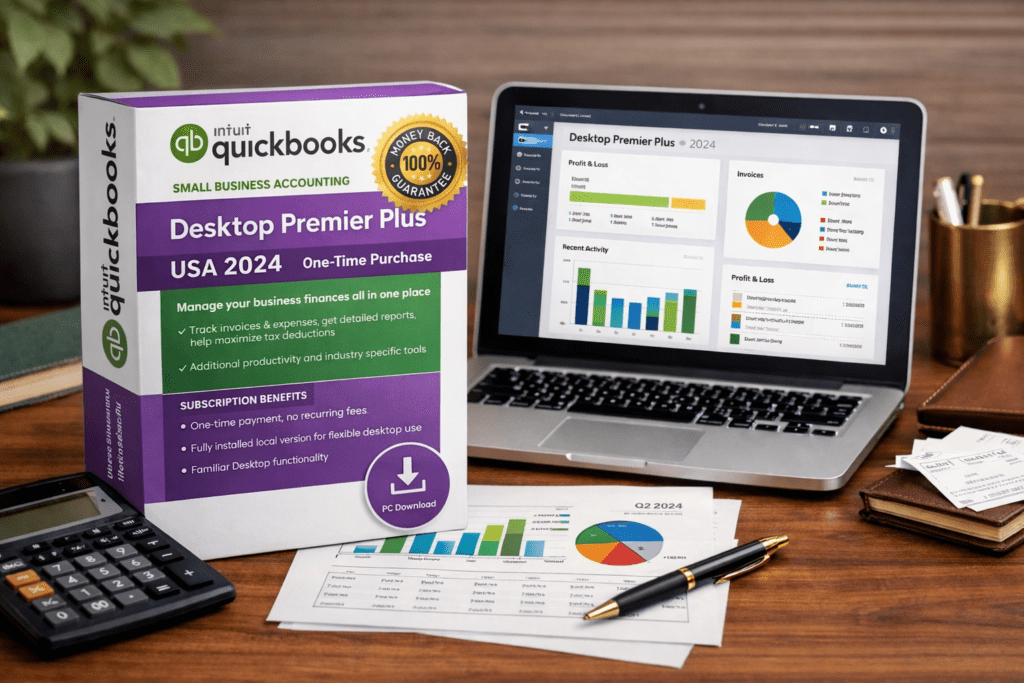
If you are searching for QuickBooks Premier Desktop with no monthly subscription fee, you are probably not looking for another recurring software bill. You want a desktop accounting setup you can keep using without feeling locked into ongoing payments. That is why phrases like quickbooks desktop premier license permanent, quickbooks premier one-time purchase, and quickbooks premier desktop no monthly subscription fee all point to the same intent. The buyer wants QuickBooks Premier on desktop and wants to avoid recurring costs. View QuickBooks Desktop Premier Plus 2024 Can you still buy QuickBooks Premier Desktop without a monthly subscription fee? Yes. That is the direct answer most buyers want. In practice, people using this search are usually not only trying to avoid a monthly charge. They are trying to avoid any recurring billing model. They want a version of QuickBooks Desktop Premier that feels closer to a one-time purchase rather than something they have to renew again and again. That is why the most relevant next step for this keyword is to review a Premier Desktop product page that matches that buying intent: QuickBooks Desktop Premier Plus 2024 Why buyers are searching for a QuickBooks Desktop Premier permanent license Most people searching this term already know QuickBooks. They are not casually researching accounting software from zero. They are trying to solve a practical buying problem. They want to keep using Desktop. They want something familiar. They do not want to rebuild their workflow around another platform if they can avoid it. And they definitely do not want another subscription expense added to the business if there is a more straightforward way to buy what they need. That is exactly why Premier still attracts attention. It sits in the middle ground between basic Desktop use and more complex enterprise-level software. For many businesses, that balance is the real appeal. What “no monthly subscription fee” really means Most buyers using this phrase mean more than just “do not bill me every month.” Usually, they are trying to avoid all of the following: monthly recurring software fees annual renewals that still function like a subscription forced upgrade pressure the need to leave Desktop just to keep using familiar tools So the real meaning behind this keyword is simple: I want QuickBooks Premier Desktop without recurring costs. Who should choose QuickBooks Desktop Premier instead of Pro? QuickBooks Premier is usually a better fit for buyers who want more than a basic bookkeeping setup. If Pro feels too limited but Enterprise feels like too much, Premier often lands in the sweet spot. Premier can make sense for: businesses that want stronger reporting buyers who prefer the Desktop workflow users who need more depth than a basic accounting setup companies that want more capability without stepping into Enterprise pricing If your workflow is simple, Pro may still be enough. But if you are specifically searching for QuickBooks Premier, there is a good chance you already know you need something with more depth. What to check before buying a permanent QuickBooks Desktop Premier license 1. Make sure the offer is actually non-recurring Some listings sound like a permanent desktop solution but are really subscription products paid upfront. Read the product wording carefully before buying. 2. Confirm compatibility with your setup Check the operating system, the number of users you need, and whether the version fits your business environment. 3. Review activation and delivery details Before checkout, make sure you understand how installation works, how activation is handled, and whether support is available if needed. 4. Separate the software itself from add-on services A buyer looking for a permanent QuickBooks Desktop Premier license is usually focused on the software first. That is different from connected services or extra features that may have their own limitations or ongoing costs. Best option for this keyword If your goal is to find QuickBooks Premier Desktop without recurring monthly-style fees, the most relevant place to start is here: Shop QuickBooks Desktop Premier Plus 2024 Is QuickBooks Desktop Premier still worth it? For the right buyer, yes. If you prefer the Desktop workflow, want something familiar, and want to avoid another recurring software expense, Premier can still be the right direction. The value is not just in what the software does. It is in keeping a workflow that already works for your business. Conclusion If you searched for quickbooks premier desktop no monthly subscription fee or quickbooks desktop premier license permanent, the answer is straightforward: buyers are looking for a non-recurring way to get QuickBooks Premier on desktop, and one-time-payment-style offers are the closest match for that intent. If you want the shortest path to the most relevant option for this keyword, start here: Get QuickBooks Desktop Premier Plus 2024 FAQ Can I still buy QuickBooks Desktop Premier without a subscription? Yes. You can still find offers aimed at buyers who want QuickBooks Desktop Premier without ongoing recurring billing. Is QuickBooks Desktop Premier a permanent license? That depends on the listing. Always verify whether the offer is positioned as one-time payment or recurring before purchasing. Why are people searching for QuickBooks Premier with no monthly subscription fee? Because many buyers want a familiar Desktop setup without adding another recurring software expense to their business. Who should choose Premier instead of Pro? Premier is often a better fit for buyers who need more reporting depth, more capability, or a stronger Desktop workflow than a basic Pro setup provides. What is the best next step for this keyword? Go directly to the product page here: QuickBooks Desktop Premier Plus 2024.

Can I buy QuickBooks Desktop without a subscription in 2026
Knowledge Base

Can I Buy QuickBooks Desktop Without a Subscription in 2026?

You are not really asking about software. You are asking whether there is still a practical way to keep using QuickBooks Desktop without getting locked into another recurring payment. For many small business owners, that is the real issue in 2026. They already know how Desktop works. Their team is used to it. Their files, processes, and habits are built around it. What they do not want is another yearly charge for something they would rather buy once and keep using. So here is the direct answer: yes, you can still buy QuickBooks Desktop without a subscription. But the path is different from what it used to be, and the best option depends on whether you need a simple bookkeeping setup or something more advanced. For most small businesses, the strongest match is QuickBooks Desktop Pro 2024. If your business needs industry-specific tools, deeper reporting, or more user capacity, QuickBooks Desktop Premier Plus 2024 is usually the better fit. Why this question keeps coming up in 2026 There is a reason so many people still search for no-subscription QuickBooks options. It is not just about saving money, although that matters. It is also about avoiding disruption. A lot of businesses do not want to switch to a fully online workflow, retrain staff, move data into a new environment, or rebuild familiar accounting routines just because the buying options changed. They want something simpler: a Desktop product they already understand, a predictable cost, no forced recurring payment, and a setup that keeps their accounting workflow stable. That is why this keyword has strong buyer intent. The person searching is usually not browsing casually. They are actively looking for a workable path. What changed with Intuit’s Desktop sales The biggest source of confusion is that QuickBooks Desktop did not disappear, but the direct purchase path changed. Intuit stopped selling new U.S. subscriptions for certain QuickBooks Desktop products to new subscribers after September 30, 2024. Existing subscribers can still renew, and QuickBooks Enterprise remains available through Intuit. That means buyers searching for Pro or Premier in 2026 are often dealing with a very different market than they were a few years ago. That change is exactly why the phrase “without a subscription” has become so important. People are no longer assuming there is one clear official buying route for every Desktop edition. They are comparing alternatives more carefully now. Can I buy QuickBooks Desktop without a subscription today? Yes — but usually not through the same direct new-subscription path many buyers remember. In practice, this means that businesses wanting a no-subscription-style Desktop option often end up comparing reseller offers rather than relying only on Intuit’s former buying model for Pro and Premier. That is where a site like LicenseRetail becomes relevant. Its current QuickBooks Desktop listings include one-time-payment product pages for both Pro and Premier, which aligns closely with what this search query is actually looking for. If your priority is straightforward bookkeeping without another annual bill, QuickBooks Desktop Pro 2024 is the most direct option to review first. If you need more depth, Premier Plus 2024 is the natural step up. The best fit for most small businesses For many buyers, the answer is not complicated. They do not need every advanced feature. They need dependable accounting software that handles daily operations without adding another recurring software expense. That is why QuickBooks Desktop Pro 2024 is usually the best starting point. It makes the most sense if your business mainly needs: invoicing, expense tracking, sales and purchase records, standard reporting, basic inventory support, and a familiar Windows Desktop workflow. This is a good match for many small service businesses, consultants, local companies, contractors, and owner-operated teams that care more about reliability than extra complexity. Just as important, the Pro version is usually easier to justify financially when your main goal is to stay productive without overpaying for features you may never use. When Premier is the smarter choice Not every business should stop at Pro. If your company needs more specialized tools, better forecasting, stronger reporting, or workflows tied to a specific industry, then QuickBooks Desktop Premier Plus 2024 is often the better decision. Premier tends to make more sense when you need: industry-specific editions, job costing, more advanced inventory handling, deeper financial planning, or support for a larger user count than a very basic setup. This is where many buyers get the decision wrong. They search for the cheapest way to avoid a subscription, but that is not always the smartest long-term purchase. If the software slows your workflow down or fails to support your reporting needs, the lower price does not really save you money. The right purchase is the one that matches how your business actually runs. Should you avoid QuickBooks Online and stay on Desktop? For some businesses, yes. There is no rule that says every company should move online immediately. If your team is comfortable with Desktop, your processes are already built around it, and your business does not need a cloud-first accounting workflow, staying on Desktop can still be a rational decision. This is especially true if you want: less workflow disruption, fewer training changes, a locally familiar setup, and more control over ongoing software costs. That does not mean Desktop is right for everyone. Some companies will benefit more from cloud collaboration and anywhere access. But if your current system works and your goal is to avoid another recurring payment, a Desktop option can still be the better operational choice. What to check before you buy Before purchasing any no-subscription QuickBooks Desktop offer, do not focus only on price. Focus on clarity. You should verify: which edition you are buying, how many users it supports, whether the listing is clearly presented as one-time payment or annual subscription, how delivery and installation work, what support is included, and whether the product fits your current Windows setup. That matters because not every buyer is searching for the same thing. One person may want the simplest possible

can you buy quickbooks desktop
Knowledge Base

Can You Buy QuickBooks Desktop in 2026?

Yes — But It Depends on the Version If roughly 70 U.S. searches per month are still happening for “buy QuickBooks desktop,” and advertisers are paying around $8.28 per click for that intent, what does that tell you? It tells you the demand did not disappear just because Intuit changed how it sells Desktop. Businesses still want local software, familiar workflows, and a version of QuickBooks that does not force them into a fully cloud-based setup. The short answer is yes, you can buy QuickBooks Desktop in 2026 — but not every edition is available the same way. For many buyers, the real question is no longer “does QuickBooks Desktop exist?” It is “which version can I still get, from where, and what is the safest path for my business?” That is exactly what this guide covers. Can You Buy QuickBooks Desktop in 2026? Yes, QuickBooks Desktop is still available in 2026, but the buying path depends on the edition you want. In the United States, Intuit stopped selling new QuickBooks Desktop subscriptions for Pro Plus and Premier Plus to new subscribers after September 30, 2024. Existing subscribers can still renew, and QuickBooks Enterprise remains the main Desktop product Intuit continues to sell directly. At the same time, the market did not become “Desktop is gone.” Instead, it became more fragmented: QuickBooks Enterprise is still the main official Desktop option through Intuit. Pro and Premier are much harder to buy directly as new U.S. subscriptions. Reseller listings now matter much more for buyers who specifically want Desktop Pro or Desktop Premier rather than moving to QuickBooks Online. So if you are asking, “can you buy QuickBooks Desktop?” the answer is yes — but you need to choose the right product path based on your business size, budget, and whether you want a subscription or a one-time-payment style offer. Can You Buy QuickBooks Desktop Directly From Intuit? If you want to buy directly from Intuit as a new U.S. customer, the answer is generally not for Pro Plus or Premier Plus. Intuit’s official guidance says new U.S. subscriptions for those Desktop lines were no longer available after September 30, 2024. However, Intuit also states that QuickBooks Enterprise was not affected by that change. So for businesses that want to stay with a Desktop environment and still buy through an official direct route, Enterprise is the clearest path. This creates an important distinction: If you need basic or mid-level Desktop accounting, direct Intuit purchasing is much more limited than before. If you need advanced Desktop accounting, multi-user support, stronger inventory, pricing controls, or enterprise-level reporting, Enterprise is still the direct option most aligned with that need. Can You Buy QuickBooks Desktop Pro, Premier, or Enterprise? Yes — but the best option depends on which version fits your business. For small businesses that mainly need invoicing, expense tracking, and everyday bookkeeping, QuickBooks Desktop Pro 2024 on LicenseRetail is the most straightforward fit. LicenseRetail currently lists it as a one-time-payment Desktop Pro product for 1–3 users. For businesses that need stronger reporting, industry-specific workflows, forecasting, or job costing, QuickBooks Desktop Premier Plus 2024 on LicenseRetail is the better step-up option. It is positioned for users who have outgrown basic Pro-level workflows but do not yet need the full Enterprise stack. For larger or more complex teams, especially those that need up to 30 users, advanced inventory, deeper pricing controls, and higher-end reporting, the best fit is usually QuickBooks Desktop Enterprise options on LicenseRetail. In simple terms: Choose Pro if you want a simpler Desktop accounting setup. Choose Premier if you want more industry-specific depth and stronger planning tools. Choose Enterprise if you want the most scalable Desktop version available. Can You Buy QuickBooks Desktop Without Moving to QuickBooks Online? Yes. That is one of the main reasons this keyword still has buyer intent. A lot of businesses are not searching because they are curious. They are searching because they do not want to switch to QuickBooks Online right now. They may prefer: keeping company files on a local machine or internal network, avoiding workflow disruption, staying with a familiar interface, using features they already know inside Desktop, or controlling costs more tightly. If that sounds like your situation, then buying a Desktop edition can still make sense — especially if your team is already trained on Desktop and your current processes are built around it. For many small businesses, the practical decision is not “Desktop vs modern accounting.” It is “do I want to retrain staff, migrate data, and rebuild workflows right now?” If the answer is no, then staying with Desktop may still be the better operational decision. Can You Buy QuickBooks Desktop Without a Subscription? This is where many buyers become more careful. Some people searching “can you buy QuickBooks Desktop” are really asking a second question: can I still get it without a recurring subscription? On LicenseRetail, the currently listed Pro and Premier pages are presented as one-time-payment options rather than standard recurring plans. That makes them attractive to buyers who want a more permanent setup and do not want another software bill every year. The tradeoff is simple: you should always verify exactly what is included, how activation works, what support you receive, and what happens with future major-version upgrades. That matters with any reseller purchase, especially now that the direct-buy landscape is more limited than it used to be. If your main goal is to avoid ongoing fees, then the strongest fit on your current site is usually QuickBooks Desktop Pro 2024, with Premier Plus 2024 as the upgrade path for businesses that need more. Can You Buy QuickBooks Desktop Safely? What Buyers Should Check First Before purchasing any QuickBooks Desktop product in 2026, do not focus only on price. Focus on clarity. Here is what smart buyers should verify: Edition: Pro, Premier, or Enterprise User count: 1 user, 3 users, 5 users, or higher License structure: recurring subscription, annual term, or one-time-payment offer Delivery method: digital delivery,

Knowledge Base

Can You Still Buy QuickBooks Desktop 2024 in the US? (2026 Update)

Can You Still Buy QuickBooks Desktop 2024 in the US? (2026 Update) Can You Still Buy QuickBooks Desktop 2024 in the US? (2026 Update) Intuit’s decision to stop selling new QuickBooks Desktop licenses in 2024 left many small businesses scrambling. Fast-forward to 2026, and the question remains: Can you still get a genuine QuickBooks Desktop 2024 in the US? The short answer is yes, but not directly from Intuit. In this update, we’ll break down what’s changed, where to buy safely, and why Desktop might still be the best fit for your business. What Changed with QuickBooks Desktop Sales (US) In September 2024, Intuit officially ended sales of new QuickBooks Desktop Pro and Premier subscriptions in the US. This means you can’t buy fresh licenses straight from their website anymore. The move was part of Intuit’s push toward cloud-based QuickBooks Online, which they see as the future. However, existing users can still renew subscriptions or use their current versions until support phases out (expected around 2027 for 2024 editions). Enterprise edition is the exception — Intuit still sells new Enterprise subscriptions directly. But for Pro and Premier, the only options now are authorized resellers with surplus inventory or volume licenses. This has created a market for “lifetime” licenses, but it’s important to understand what that really means to avoid scams. Can You Still Buy Pro / Premier / Enterprise in 2026? Yes, you can still buy all three in the US through reputable resellers. Here’s the breakdown: Pro and Premier: These are available as genuine surplus licenses from authorized sellers. Prices range from $150–$300 for a one-time purchase (no ongoing subscription required). Be cautious of “cheap” deals under $100 — they’re often fake or deactivated keys. Enterprise: Intuit sells new Enterprise directly, but resellers offer it at discounts (e.g., $1,200–$2,000 vs Intuit’s $1,700+). It’s ideal for larger teams with advanced inventory needs. To decide which version fits your business, check our QuickBooks comparison table for a side-by-side breakdown of features, pricing, and who each is best for. What “Lifetime License” Usually Means (and What to Check) A “lifetime license” for QuickBooks Desktop 2024 means perpetual use of that version without expiration. You pay once and own it forever — no monthly fees. However, it doesn’t include future upgrades or unlimited Intuit support. Here’s what to verify before buying: Genuineness: Ensure it’s a real Intuit key (not pirated). Look for resellers with “Authorized Reseller” badges. Support Timeline: 2024 support ends around 2027. After that, you can still use it, but no security updates. Compatibility: Works on Windows 10/11 (64-bit). Check system requirements. Add-ons: Payroll or advanced features may require separate subscriptions. If you’re worried about installation, we offer a $49 remote setup service. For a reliable option, see our QuickBooks Desktop Pro 2024 lifetime license product page with instant delivery. Best Option for Most Small Businesses (Quick Decision) For 80% of small businesses in 2026, QuickBooks Desktop Pro 2024 is the best starter option. It’s affordable, powerful for basic invoicing/expenses, and avoids Online’s subscription trap. If you need multi-user access or advanced inventory, go for Enterprise. Quick decision tree: Solo/freelancer? Pro is plenty. Growing team? Premier or Enterprise. Need offline? Stick with Desktop. Pro tip: Pair it with our $49 remote installation to get up and running in under an hour. Where to Download Safely Never download from random sites — malware risks are high. Use only official Intuit links after purchasing a genuine license. For a step-by-step guide, including how to avoid scams and install on Windows 11, read our safe QuickBooks Desktop download guide. Always activate with your purchased key right away. FAQs Can I still use QuickBooks Desktop 2024 after Intuit support ends?Yes, it will work indefinitely as a standalone program. Just no new updates or official help from Intuit. Is QuickBooks Desktop better than Online in 2026?For many, yes — faster, offline, and one-time cost. But Online has real-time collaboration. See our full comparison for details. What’s the difference between Pro and Premier?Pro is basic small business accounting. Premier adds industry-specific tools (e.g., for contractors). How many users can use it at the same time?Up to 3 simultaneous users. Can I manage multiple company files?Yes. Easily create and switch between multiple company files. Does it require an internet connection?No. It works fully offline for core accounting, with optional internet for bank feeds and updates. Can I upgrade from an older version?Yes. Direct upgrade from 2021–2023. From pre-2021, we recommend our $49 remote migration service. What’s the difference between Pro and Enterprise?Pro is ideal for small businesses (up to 3 users). Enterprise supports up to 40 users with advanced inventory and reporting — check our Enterprise page for details. For more questions, feel free to contact us or browse our Knowledge Base. Ready to get started? Check out our QuickBooks Desktop Pro 2024 lifetime license.

Scroll to Top